Why auto repair shops lose reviews they earned
None of these are a skill problem. They are a timing problem — and timing is exactly what software is good at.
Service writers are slammed at pickup
The counter at 5pm is phones, keys, and card readers. Nobody has time to walk a customer through leaving a review, and the printed ask on the invoice gets thrown out with the floor-mat paper.
Suspicion is the default in auto repair
Every driver has an overcharge story. A long page of recent reviews naming honest quotes and same-day fixes is the only thing that beats that default — and it only builds if every happy customer is asked.
Repeat customers stop being asked
Your regulars are your best reviewers, but staff feel awkward asking twice. Automatic requests can ask the customer, then stay quiet during the cooldown window.
Works with the tools you already use
No new workflow for your crew. ReviewNudger listens to the apps you already run the business on and sends the request the moment the job is paid.
 SquareWhen a Square payment closes the repair order, a request follows your saved timing.
 QuickBooksWhen a QuickBooks invoice is paid, the customer hears from you one more time.
 StripeWhen a Stripe payment succeeds, a request follows your saved timing.
How it works
- 1Connect the way the shop runs — Shopmonkey natively, or Square, QuickBooks, or Stripe for the payment side — in a few clicks. ReviewNudger listens for paid repair orders and completed payments; service writers change nothing at the counter.
- 2Each paying customer can get the same neutral text or email asking for a Google review by default, sent after the delay you pick — an hour after pickup or that evening. If there is no response, your configured follow-up sequence continues, and a cooldown keeps regulars from being re-asked on every visit.
- 3New reviews land in one dashboard where an AI reply suggestion is one click away, so you can quickly prepare a response to the five-star review that names your service writer.
Frequently asked questions
Customers are standing right in front of us. Why text later?
Because at pickup they are in a hurry, and a verbal "leave us a review!" evaporates in the parking lot. A text an hour later reaches them on the couch with one tap to your review page — that is where the conversion actually happens.
Do unhappy customers get screened out first?
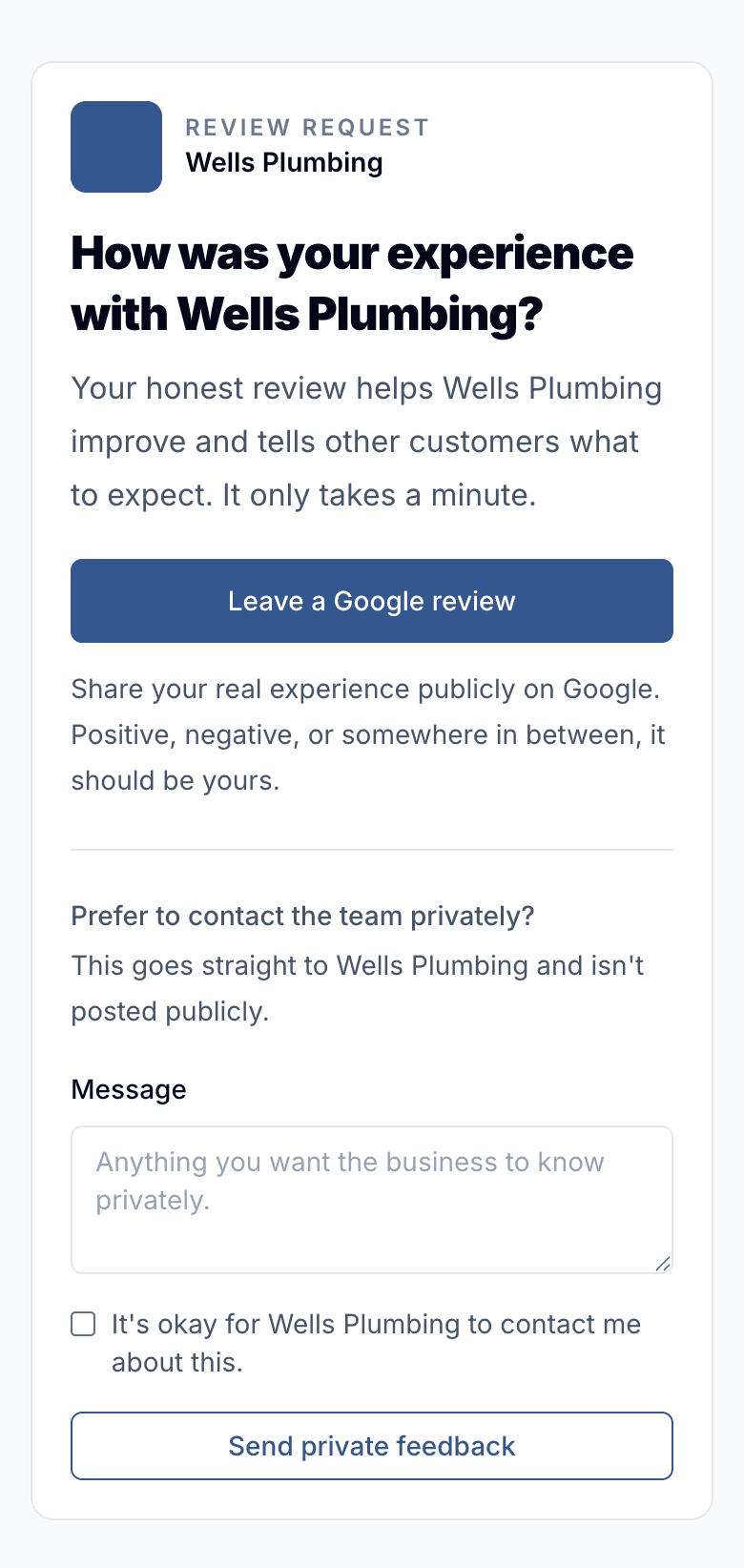
No. Every customer gets the same neutral request — hidden screening violates FTC rules and Google policy. There is a private feedback path on the request page, but the public review link is always shown.
We use a shop management system, not Square. Can it still work?
Shopmonkey connects natively — a repair order paid in full starts the request, no middleware. For other shop systems: if yours can send a completed-payment event through Zapier or a webhook, yes, and if you invoice through QuickBooks or take cards through Square or Stripe, those native connections work too.
How fast does the review page grow?
Around a third of customers asked by text follow through. A two-bay shop closing 60 tickets a month typically adds 15–20 reviews in that month — more than most shops collect in a year.
Questions before you start? Email support@reviewnudger.com and a human will answer.
$29/month per location, everything included.
No tiers, no per-message fees, no annual contract — and the 14-day trial is free. See exactly what’s included →
Related industries
The same payment-triggered review flow, tuned to how other local businesses work.