
ReviewNudger vs Birdeye
Birdeye pricing and a Google review alternative.
Birdeye directs buyers to sales for a quote. ReviewNudger is $29/month per location for Google review requests and follow-ups. Compare what each includes before comparing the cost.
Updated November 16, 2026
$0 today · card required · no charge until your 14-day trial ends · $29 a month per location after that
Trial: unlimited texts and emails. Texts send from the toll-free number set up for your business once carriers approve it. See pricing for sending rules.
Compare a written quote with the work you need done
The first question is what you need. The second is what you will pay for that scope.
What Birdeye publishes
Its pricing page asks you to talk to sales. It does not publish a starting price. Look at its review tools, listings tools and survey tools, then ask which products your quote includes.
Sources checked October 10, 2026. We make ReviewNudger. This compares what each product covers. It assumes no Birdeye price and promises no review results.
Bring these questions to the quote
- Which products and locations are included?
- What event starts a request? Can you show it with our existing software?
- What are the message limits, onboarding fees and recurring charges?
- What are the billing term, renewal and cancellation conditions?
- How do reminders stop, opt-outs work and failed sends appear?
To see how it works, follow a made-up customer through our product tour. Each request shows delivery and follow-up status. Check our price and sending terms next to your quote. A demo shows how the product works. It does not prove how many customers will leave a review.
Why choose ReviewNudger over Birdeye?
Start with the price, the commitment, and the tools your team will actually use. Here is how the two compare.
| Compare | ReviewNudgerOne plan. All core features. | Birdeye |
|---|---|---|
| Product scope | Review requests, Google monitoring and optional reply drafts | Its product pages describe reviews, listings and surveys. Confirm what is included |
| Review requests | Starts after supported payments, appointments or finished jobs, or by hand or spreadsheet | Tools to get reviews and automated requests. Confirm what starts a request |
| Listings | Does not manage directory listings | Separate listings product. Confirm what your plan includes |
| Price | $29/month per location. Optional local number for US businesses, $100/year | Custom quote. No published starting price |
| Private feedback and surveys | Private feedback and survey forms. Review requests can also start with a short survey, off by default, that keeps the Google review link at every rating. | NPS, CSAT and custom surveys, priced by quote |
| Other review sites | Up to 6 other sites, such as Facebook, on your review page if you use one instead of a direct Google link. Monitoring and replies cover Google only. | Up to 3 sites per email request and 4 per text, plus custom sites. Tracks 200+ sites |
| Free trial | 14 days free · $0 today · card required | Confirm trial availability with sales |
| Commitment | Month-to-month · cancel anytime | Confirm the term in your written quote |
| Customer support | Email support with a real human | Confirm support for the products you select |
Check the vendor’s own details
Sources checked October 19, 2026. Prices shown in USD.
Private feedback and review site rows, checked November 16, 2026 on each vendor’s own pages
The right tool starts with your business.
How ReviewNudger fits
ReviewNudger fits a service business in the US or Canada that wants Google reviews. It asks for a review after supported payments, appointments or finished jobs. Then it follows up under your sending rules. You can also start requests by hand or from a spreadsheet (CSV). Contact permission, the wait before asking again and texting readiness still apply. The plan includes Google review monitoring, optional AI reply drafts and a website review widget. Adding other review sites as destinations does not add monitoring for those sites. Check the card-required trial and optional local-number charge on the linked pricing page before you choose.
What Birdeye offers
Birdeye’s pricing page asks buyers to request pricing. It does not publish a starting price. Its public product pages describe three areas. Review tools cover getting reviews, responses and marketing. Listings management includes approval steps. Surveys include ways to handle responses. Those are separate things to buy. Do not assume every product on the website is in a given quote. Get the product names, locations, limits and contract terms in writing. Then decide whether its wider scope is useful to your business.
The whole review process
Ask. Follow up. Reply. All in one place.
The features that turn a finished job into a steady review routine. All included in your $29 monthly plan.
Text and email requests
Text & email requests
The job is done. The review ask is ready.
Connect a supported payment or appointment app, and finished work starts the request. Customers go straight to your Google review form by default. If you show your review page instead of sending customers straight to Google, it can list up to 6 other review sites, such as Facebook, Nextdoor or BBB, below the Google review link.
- Personalized text and email requests
- Send automatically, by hand, or from a spreadsheet
- A public review link for every customer
How it works
From completed work to a review request
Start
A supported payment, appointment or finished job, a manual request, or a spreadsheet upload.
Check
Contact permission, the wait before asking again, duplicate protection and sending readiness all apply.
Send
A request has its own history. Each text or email send has its own result.
Record the click
A review-link click is recorded, but it does not prove a posted review. Follow-ups continue until the review shows up in ReviewNudger.
Follow-up campaigns
Follow-up campaigns
Give busy customers a timely reminder.
Build an ordered sequence of texts and emails. Choose the wait between steps, write the message in your own voice, and pause follow-ups when you need to.
- Mix texts and emails in the same campaign
- Control the timing and wording of each step
- Built-in opt-outs, a wait before asking again, and duplicate protection
How it works
An ordered sequence with stopping rules
Choose steps
Pick text or email, the wording and the days to wait for each step.
Check before sending
Permission, readiness, pauses and the request’s current state still apply.
Stop on action
A Google review showing up in ReviewNudger, submitted feedback, a reply or an opt-out stops follow-ups. A click alone stops them only when ReviewNudger can’t check Google for new reviews.
Check the result
A failed customer message is recorded. It is not automatically resent.
Google reviews and AI replies
Google reviews & AI replies
A thoughtful reply, without the blank page.
Read your Google reviews in one inbox. Start with an AI draft you can edit, or turn on automatic replies with your settings. Alerts for new negative reviews help your team know when to step in.
- Editable AI drafts and optional automatic replies
- Search and filter your Google reviews
- Unlimited team members to share the follow-up
How it works
From a new Google review to a reply
Sync
Reviews from the connected Google Business Profile appear in the review inbox.
Prepare
An optional AI suggestion gives the owner an editable starting point.
Review and publish
The owner can edit and publish. Optional automatic replies follow the location’s settings.
Keep the evidence separate
A review showing up and a request click do not prove the request caused the review.
Review activity and feedback
Review activity & feedback
See what happens after the ask.
Track requests, review growth, and customer feedback from your dashboard. See what needs a reply and which requests need attention. Then your team can focus on the next useful step.
- Review counts and rating trends in one dashboard
- Customer feedback alongside review-request activity
- Advisory review protection helps you spot reviews that may break Google’s rules
How it works
Different records answer different questions
Request history
What started the request, its timing, and whether follow-ups stopped.
Delivery history
The individual send attempts and their recorded delivery outcomes.
Customer action
Review-link clicks, feedback, replies and opt-outs tied to the request.
Google review
The review, pulled in from Google separately. A likely customer match does not prove the request led to it.
Diagrams show how the product works, not customer results. Trial: unlimited texts and emails. Texts send from the toll-free number set up for your business once carriers approve it. See pricing for sending rules.
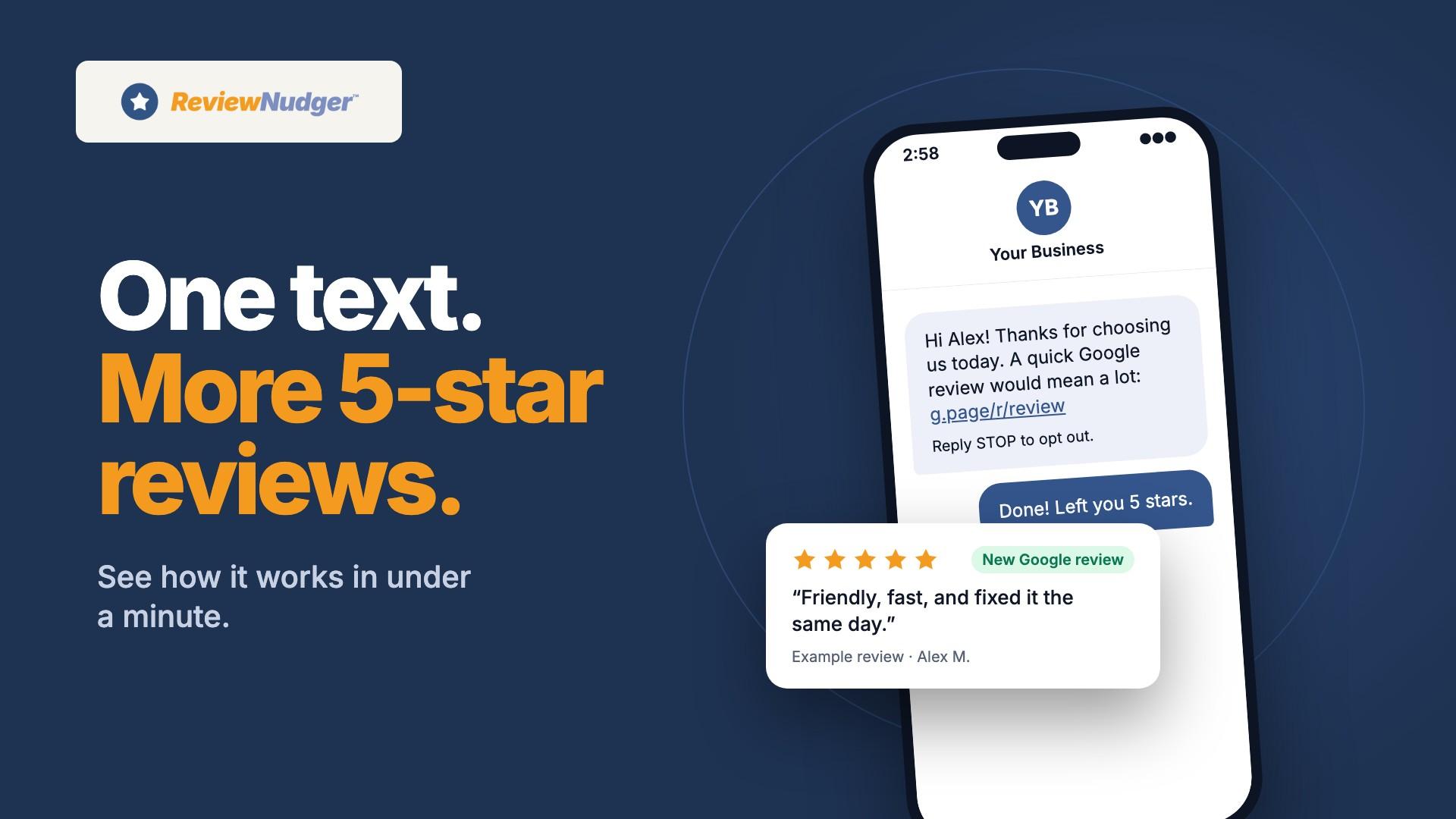
See the request your customers receive.
Try the customer experience before you choose your review software.
Why businesses switch to ReviewNudger
You need a way to get Google reviews
If review requests and follow-ups are the work you need, check the supported triggers and sending rules first. ReviewNudger’s published price is $29/month per location. Compare it with your actual Birdeye quote before claiming any savings.
You can prove the trigger works for your business
Use a supported integration, a manual request or a spreadsheet upload. Each request shows whether it could send, whether it was delivered and its follow-up status. A connected integration does not promise that every event sends a message. It does not promise a review either.
You want to check the sending terms before subscribing
The 14-day trial requires a card and includes unlimited texts and emails. Paid plans have no monthly message cap or per-message fee. Sending rules still apply. Approval from the phone companies is included. Check in the dashboard whether texting is ready.
When Birdeye is the better fit
Keep Birdeye on your shortlist if you need directory listings, surveys or broader review tools. Test those products with your own locations. Ask which ones are in the quote. A narrower tool with a lower published price does not prove you get the same features. It also does not prove savings against a quote you have not seen.
One plan. Every review feature.
Start with a 14-day trial. Keep the tools your team needs for $29 per month per location.
ReviewNudger
$29/ month
Per location · cancel anytime
Start free trial$0 today · card required · no charge until your trial ends. Trial: unlimited texts and emails. Texts send from the toll-free number set up for your business once carriers approve it. See pricing for sending rules.
A toll-free texting number is included. A local area-code number is an optional $100/year add-on for US businesses.
Full pricing and trial details- Automatic text or email review requests
- Connects to your Google Business Profile to pull in every review
- AI-suggested replies you can edit, plus optional auto-reply
- Full review inbox with search and filters
- Automatic asks after payments in Jobber, Square, QuickBooks Online, Stripe, and Housecall Pro
- Automatic follow-up messages you control
- Review protection that flags spam and fake-looking reviews
- Alerts when negative reviews come in
- A review widget and "Review us" buttons for your website
- A private link and QR code so staff can ask on the spot
- Optional thank-you email after a customer reviews you
- Unlimited team members, one location
- A toll-free number set up for your business, with phone company approval handled for you
- Email support with a real human
Where we stand on review gating
A note on review gating, because it matters when you compare tools. By default, ReviewNudger sends every customer the same review request with the same public Google review link. No sentiment check or star-rating question decides who gets asked. There is one optional mode, clearly disclosed and set per location, that asks how the visit went first. Even in that mode, every customer can still use the public Google review link, including unhappy ones. Choosing to hide negative reviews breaks FTC rules and Google's review policies. Whichever tool you choose, make sure its defaults keep you on the right side of both.
Where we stand on review removal
A note on review removal, because it comes up in the same comparisons. ReviewNudger includes review protection. It can check your new Google reviews for ones that likely break Google's review content policy. That means spam or fake content, off-topic content, conflicts of interest, profanity, harassment, hate speech, and exposed personal information. It flags what it finds with a plain-English explanation. It is advisory only, and each location has its own setting. You decide which flags need action and report them through Google's own reporting tool. ReviewNudger never submits reports on your behalf. Whether a flagged review comes down is always Google's decision. Whichever tool you choose, be wary of any promise that a review will be removed.
Competitor prices last checked: October 19, 2026. Prices and quote requirements come from the linked official vendor pages. Confirm current pricing, included features, and terms with the vendor before buying.
Related comparisons and resources
Compare another option, check the buying criteria, or review the plan before starting a trial.
Frequently asked questions
What does Birdeye cost?
Birdeye’s public pricing page asks buyers to request a quote. It does not publish a starting price. Ask about locations, included products, message limits, setup charges, billing term and cancellation terms. You need a quoted price to compare costs fairly.
Does ReviewNudger replace all of Birdeye?
No. ReviewNudger focuses on requesting and following up on reviews, monitoring Google reviews and preparing optional reply drafts. It does not replace a directory listings product or a survey platform. Choose based on what your team will actually use.
Is this a referral tool?
This page compares review tools. ReviewNudger does not track customer referrals. If you need referral tracking or rewards, treat that as a separate need. Ask the provider to show it to you. Do not assume it from review features.
What should I check before switching?
Check your current agreement, the supported trigger, customer permission and whether sending is ready. Turn off the old review automation before turning on a new one. Keep access to your Google Business Profile. Your current Google reviews stay on that profile.
Can I see ReviewNudger’s price without a sales call?
Yes. The plan is $29/month per location, billed monthly. The trial is 14 days and requires a card. A local number is an optional $100/year add-on for US businesses, billed separately. It needs a paid plan and its own approval. See our pricing page for full sending conditions.
Questions before you start? Email support@reviewnudger.com and a human will answer.