A simpler Swell alternative.
Automate your review requests, follow up with customers, and reply to Google reviews. One focused tool. $29 a month per location.
14-day free trial · card required · then $29/mo per location · cancel anytime
Trial: up to 50 SMS attempts from your approved toll-free number or, when the sending conditions are met and one is available, a ReviewNudger number during carrier review. See pricing for sending limits.
Why choose ReviewNudger over Swell?
Start with the price, the commitment, and the tools your team will actually use. Here is how the two compare.
Swipe across the table to see every platform.
| Compare | One plan. All core features. | Swell |
|---|---|---|
| Built for | Local service businesses that use completed payments as the review moment | Healthcare practices and multi-location groups managing patient and employee feedback |
| Pricing path | $29 per month per location, published and self-serve | Says products are priced per location and directs buyers to a consultation or sales conversation |
| Automatic trigger | Can start after completed payments in connected payment and field-service apps | Describes EHR and practice-management triggers based on appointments and practice events |
| Review destinations | Google review requests, Google review sync, and the Google reply workflow | Review invites and monitoring across Google, Facebook, Healthgrades, and other connected sites |
| Feedback and team scope | Focused request journeys, reply drafts, and advisory Google review-protection flags | Adds patient and employee surveys, NPS, messaging, webchat, multi-step workflows, and location/provider reporting |
Check the vendor’s own details
Sources checked September 28, 2026. Prices shown in USD.
The right tool starts with your business.
How ReviewNudger fits
Swell positions itself as a reputation and feedback platform for healthcare, with especially detailed workflows for dental groups and other multi-location practices. Its public product pages describe review invites, patient and employee surveys, healthcare-system connections, location and provider reporting, messaging, webchat, and multi-step campaigns. That is a meaningful operating layer for a group managing patient experience across many clinics. ReviewNudger is the narrower option for a local service business that wants completed payments to start Google review requests, then wants synced Google reviews and editable AI reply drafts in one place for $29 per month per location.
What Swell offers
Swell says its Reviews product can send personalized invites by text and email, automate sends through EHR or practice-management connections, collect and organize reviews from Google, Facebook, and Healthgrades, reply to Google reviews, report by location and provider, and share reviews through a widget. Its wider platform adds surveys, NPS reporting, patient messaging, webchat, and campaign workflows. Swell says products are priced per location and can be purchased individually or bundled, and its product pages direct buyers to schedule a consultation or talk to sales.
Ask. Follow up. Reply. All in one place.
The features that turn a finished job into a consistent review routine, included in your $29 monthly plan.
SMS & email requests
The job is done. The review ask is ready.
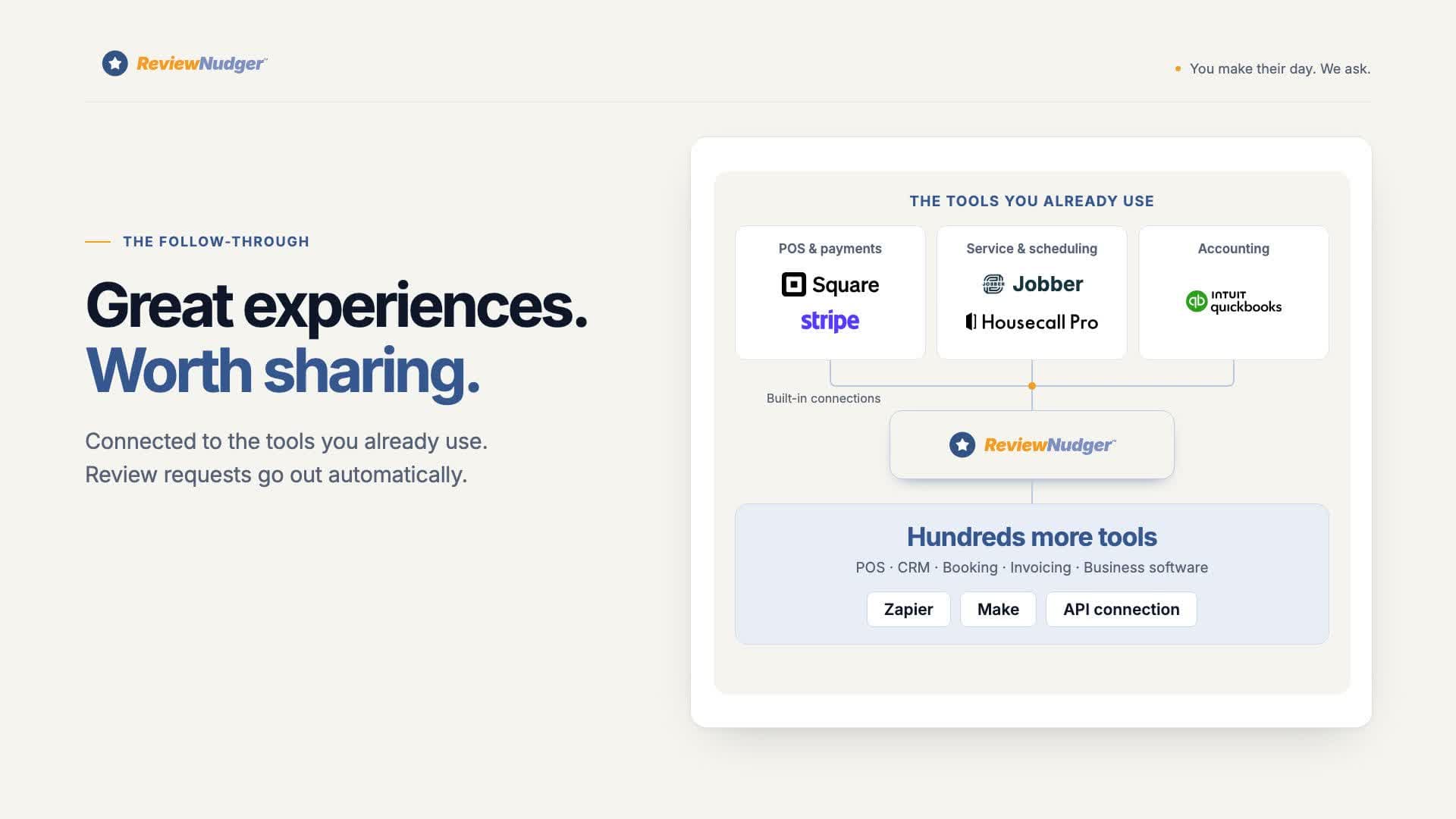
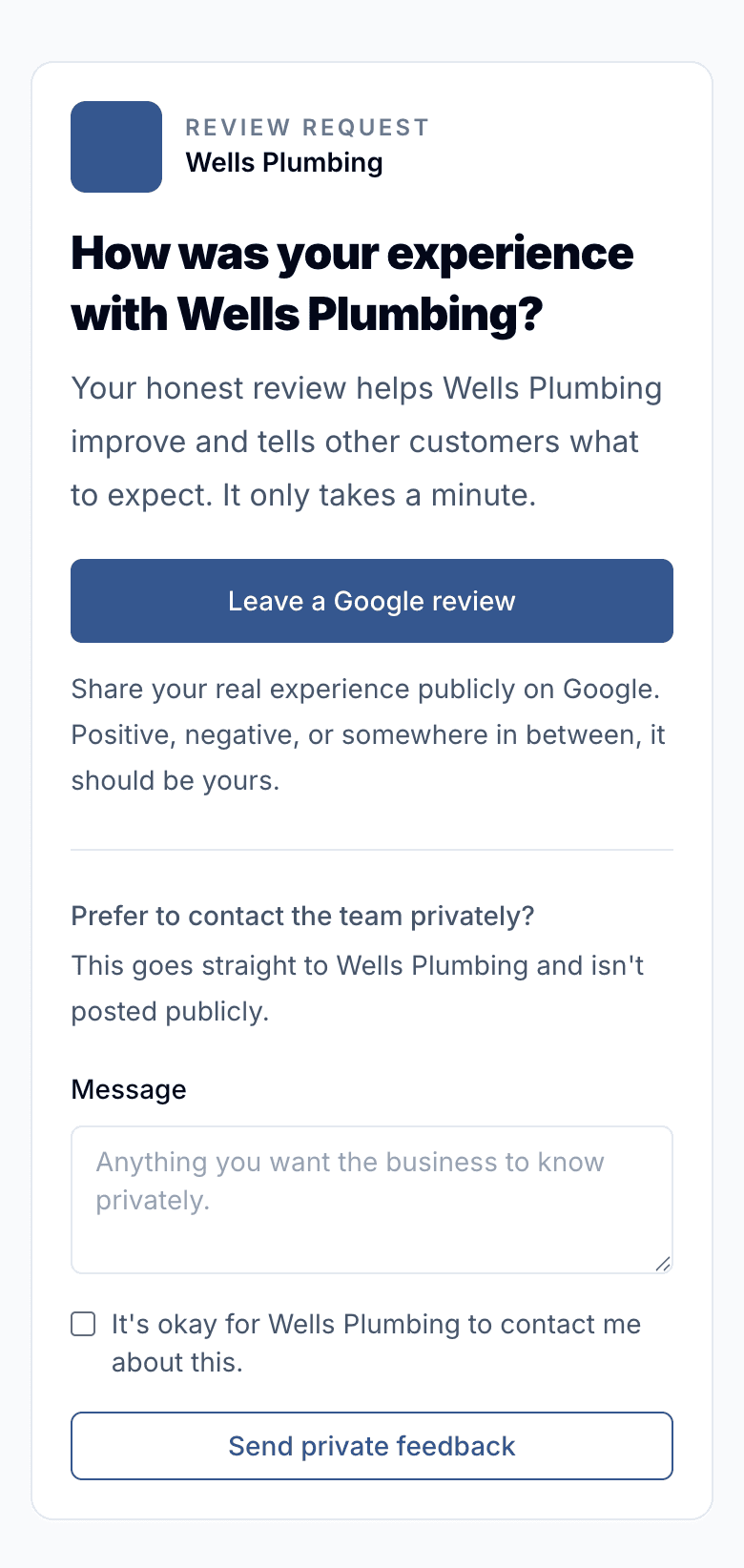
Connect a supported payment or appointment app and let completed work start the request. Customers get a branded page with a clear path to Google and any other public review links you add.
- Personalized text and email requests
- Send automatically, manually, or from a CSV import
- A public review link for every customer
Follow-up campaigns
Give busy customers a timely reminder.
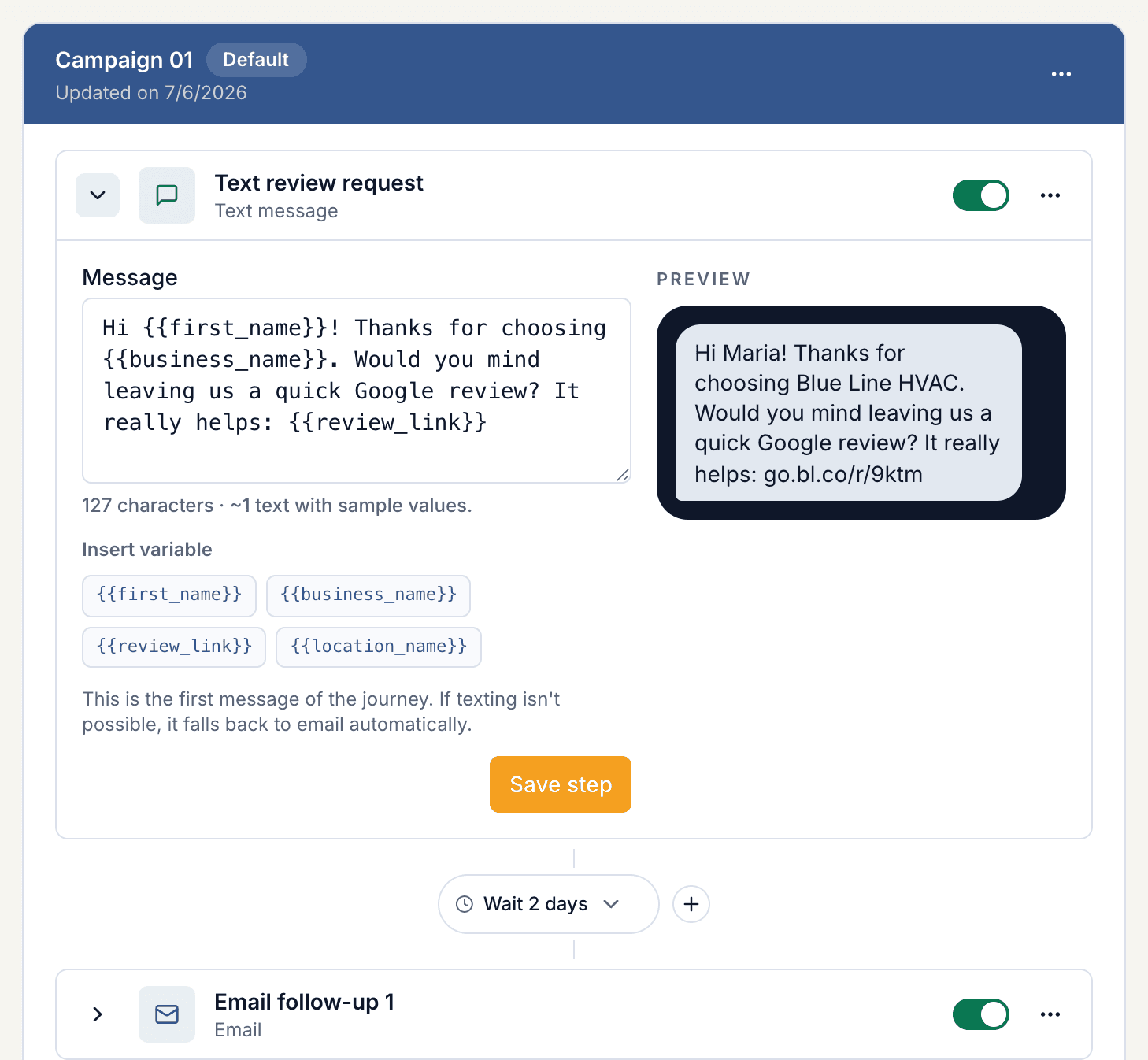
Build an ordered sequence of texts and emails. Choose the wait between steps, write the message in your own voice, and pause follow-ups when you need to.
- Combine SMS and email in the same campaign
- Control the timing and copy of each step
- Built-in opt-outs, cooldowns, and duplicate protection
Google reviews & AI replies
A thoughtful reply, without the blank page.
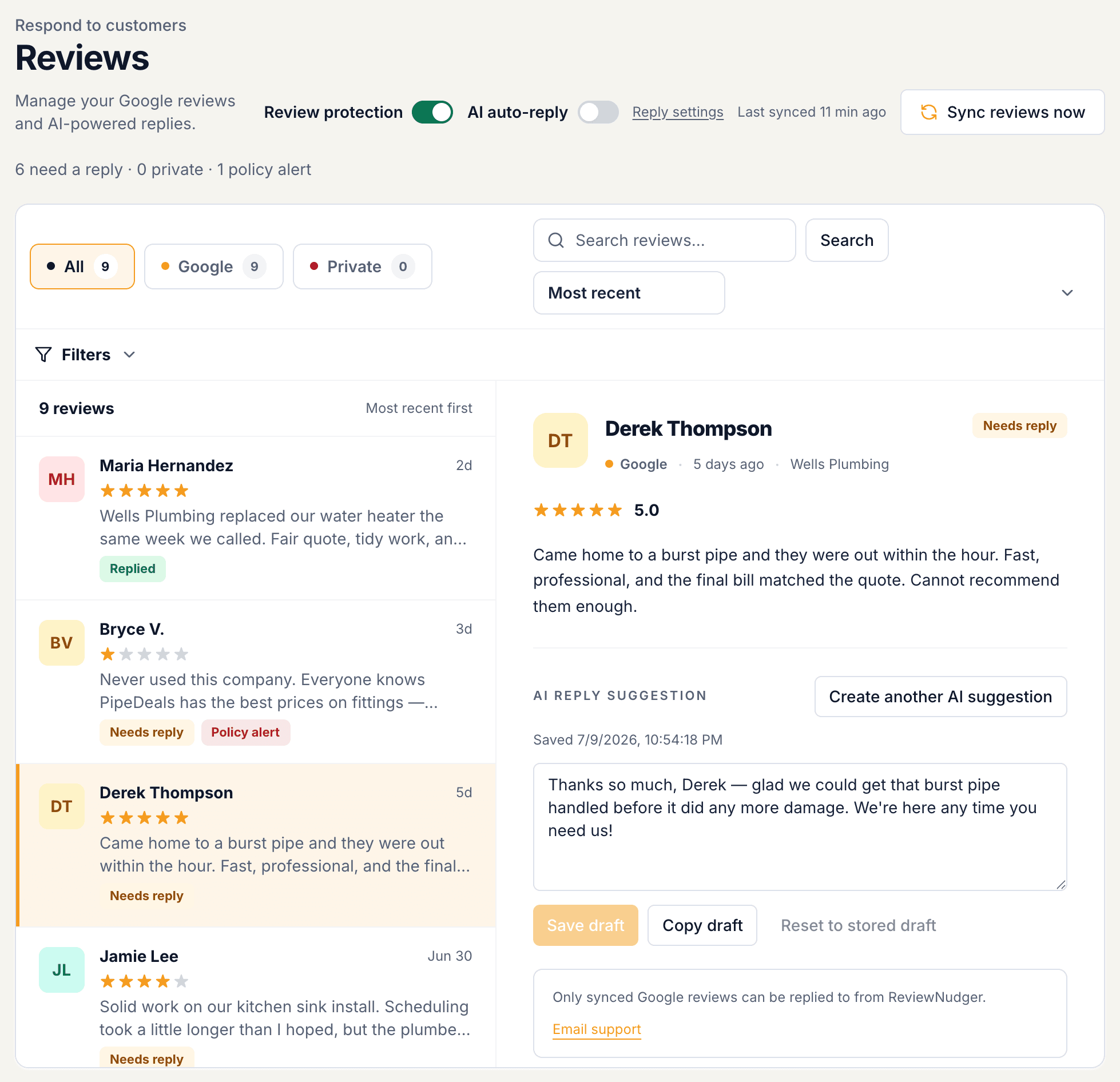
Read your synced Google reviews in one inbox. Start with an AI draft you can edit, or enable automatic replies with your chosen settings. New negative-review alerts help your team know when to step in.
- Editable AI drafts and optional automatic replies
- Search and filter your Google reviews
- Unlimited team members to share the follow-through
Review activity & feedback
See what happens after the ask.
Follow request activity, review growth, and customer feedback from your dashboard. See what needs a reply and which requests need attention, then keep your team focused on the next useful action.
- Review counts and rating trends in one dashboard
- Customer feedback alongside review-request activity
- Advisory review protection helps you assess policy violations
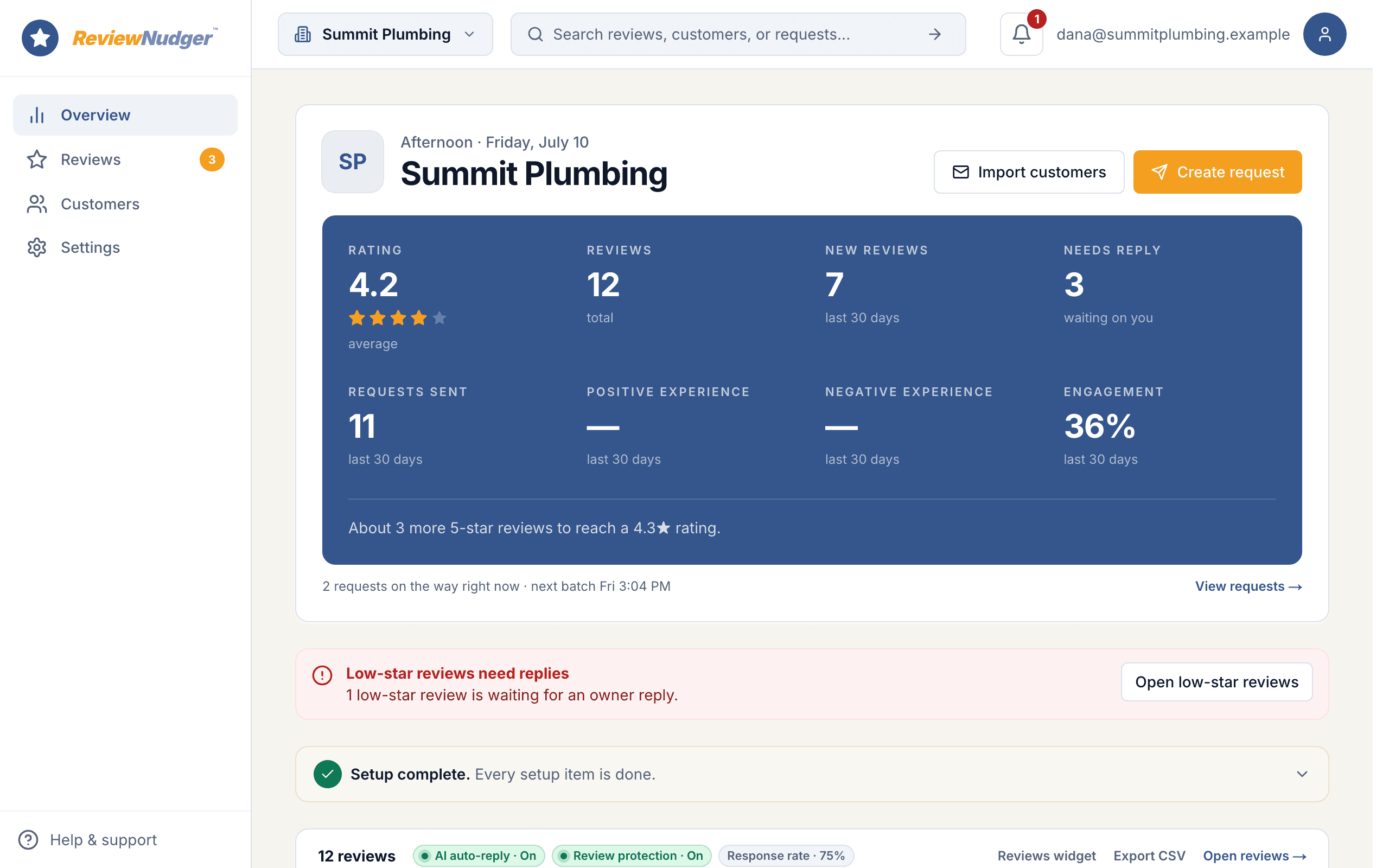
Product screens show example activity. Trial: up to 50 SMS attempts from your approved toll-free number or, when the sending conditions are met and one is available, a ReviewNudger number during carrier review. See pricing for sending limits.
See the request your customers receive.
Try the customer experience before you choose your review software.
Why businesses switch to ReviewNudger
Your trigger is payment, not an appointment record
ReviewNudger can start the request when a payment completes in the business software you already use. For a service company outside healthcare, that may be a simpler and clearer finish line than adopting an EHR- or practice-management-centered workflow.
Google reviews are the whole assignment
If you do not need patient surveys, employee surveys, NPS, webchat, provider leaderboards, or feedback reporting across clinics, ReviewNudger keeps the product centered on requesting Google reviews, seeing them after they sync, and preparing replies.
You want public pricing and self-serve setup
ReviewNudger publishes its $29-per-month price and offers a 14-day self-serve trial. Swell's public pages describe per-location products and bundles and route the buying conversation through a consultation.
When Swell is the better fit
If your organization needs healthcare-specific EHR or practice-management triggers, surveys across the patient journey, employee feedback, NPS reporting, and performance views by provider and location, Swell's wider platform is built around those needs. A multi-location dental or medical group that uses those feedback operations should not treat this as a price-only decision; ReviewNudger does not replace that healthcare reporting and survey layer.
One plan. The whole review workflow.
Start with a 14-day trial. Keep the tools your team needs for $29 per month per location.
ReviewNudger
$29/ month
Per location · cancel anytime
Start free trial$0 today · card required · no charge until your trial ends. Trial: up to 50 SMS attempts from your approved toll-free number or, when the sending conditions are met and one is available, a ReviewNudger number during carrier review. See pricing for sending limits.
A toll-free texting number is included. A local area-code number is an optional $100/year add-on.
Full pricing and trial details- Automatic text or email review requests
- Connects to your Google Business Profile to pull in every review
- AI-suggested replies you can edit, plus optional auto-reply
- Full review inbox with search and filters
- Automatic asks after payments in Jobber, Square, QuickBooks, Stripe, and Housecall Pro
- Automatic follow-up messages you control
- Review protection that flags spam and fake-looking reviews
- Alerts when negative reviews come in
- A review widget and "Review us" buttons for your website
- A private link and QR code so staff can ask on the spot
- Optional thank-you email after a customer reviews you
- Unlimited team members, one location
- Your own toll-free texting number, with carrier approval handled for you
- Email support with a real human
Where we stand on review gating
A note on review gating, because it matters when you compare tools: by default ReviewNudger sends every customer the same neutral request with the same public Google review link — no sentiment checks and no star-rating questions deciding who gets asked. There is one optional, clearly disclosed per-location mode that asks how the visit went first, and even in that mode the public Google review link stays available to every customer, including unhappy ones. Selectively suppressing negative reviews violates FTC rules and Google's review policies, so whichever platform you choose, make sure its defaults keep you on the right side of both.
Where we stand on review removal
A note on review removal, because it comes up in the same comparisons: ReviewNudger includes review protection, which can screen newly synced Google reviews for likely violations of Google's review content policy — spam or fake content, off-topic content, conflicts of interest, profanity, harassment, hate speech, exposed personal information — and flag what it finds with a plain-English explanation. It is advisory only and configurable per location: you decide which flags deserve action and report them through Google's own reporting tool. ReviewNudger never submits reports on your behalf, and whether a flagged review comes down is always Google's decision — so whichever platform you choose, treat guaranteed-removal promises with skepticism.
Competitor pricing reference: September 28, 2026. Prices and quote requirements come from the linked official vendor pages. Confirm current pricing, included features, and terms with the vendor before buying.
Related comparisons and resources
Compare another option, check the buying criteria, or review the plan before starting a trial.
Frequently asked questions
Does ReviewNudger replace Swell for a dental group?
Not when the group relies on patient and employee surveys, NPS, provider-level reporting, webchat, or EHR and practice-management workflows. ReviewNudger can serve a practice that mainly wants the Google review loop, but it is not a healthcare experience-management platform.
Can both products automate review invitations?
Yes, with different centers of gravity. Swell describes EHR and practice-management event triggers for review and survey invitations. ReviewNudger uses completed payments in connected payment or field-service apps as the main automatic trigger.
Does ReviewNudger monitor Healthgrades or Facebook reviews?
No. ReviewNudger focuses on Google review requests, Google review sync, and Google reply tools. Swell publicly describes connections to Google, Facebook, Healthgrades, and other review sites, which is a reason to stay if those destinations matter to your team.
How does ReviewNudger handle sensitive healthcare details?
Review requests can stay generic and avoid treatment details, and reply drafts remain editable. Practices are still responsible for their privacy and professional obligations, and should review public replies carefully before posting unless they have expressly enabled an auto-reply policy.
Questions before you start? Email support@reviewnudger.com and a human will answer.