
Your work transforms a room. Let clients tell the story.
Your crew handles the finish and the cleanup. ReviewNudger helps you ask for a Google review after the job, then follows up automatically so the office does not have to.
$0 today · card required · no charge until your 14-day trial ends · $29 a month per location after that
Connect the software you already run the business on.
Every paid job or finished appointment sends the review request for you.

 FreshBooks
 ServiceM8
 Mindbody
 Gingr
Gingr
 Follow Up Boss
 Hostaway
 JobNimbus
 Make
Make
 Tripleseat
 Checkfront
 Shopmonkey


An example scorecard for Summit Plumbing: review grade B, #4 of 11 nearby plumbers. Your scorecard reads your real listing.
See how you stack up against nearby competitors.
Find your business and get a free review scorecard: your grade, how you rank against nearby businesses in your category, and what it takes to move up.
Public Google data only. Free, no signup.
A stronger reputation. A lighter workload.
From the first review request to the reply, put the follow-through on autopilot.
01Automatic requests
The work is done. The review request is already handled.
Connect Jobber, Housecall Pro, or QuickBooks once. Review requests go out at the time you choose.
- Send by text or email after a payment or appointment
- Your timing. Your message. No manual sending.
- See which apps connect
From finished work to a friendly ask.
ExamplePayment received
James Okafor · 8:41 AM
Hi James! Thanks for choosing Summit Plumbing. Would you leave us a Google review? Your review helps others choose with confidence. https://reviewnudger.com/r/example Reply STOP to opt out.
Review request sent automatically
One less thing on your to-do list.
Everything above is included in the one $29-a-month plan — nothing here costs extra.
$0 today · card required · no charge until your 14-day trial ends · $29 a month per location after that
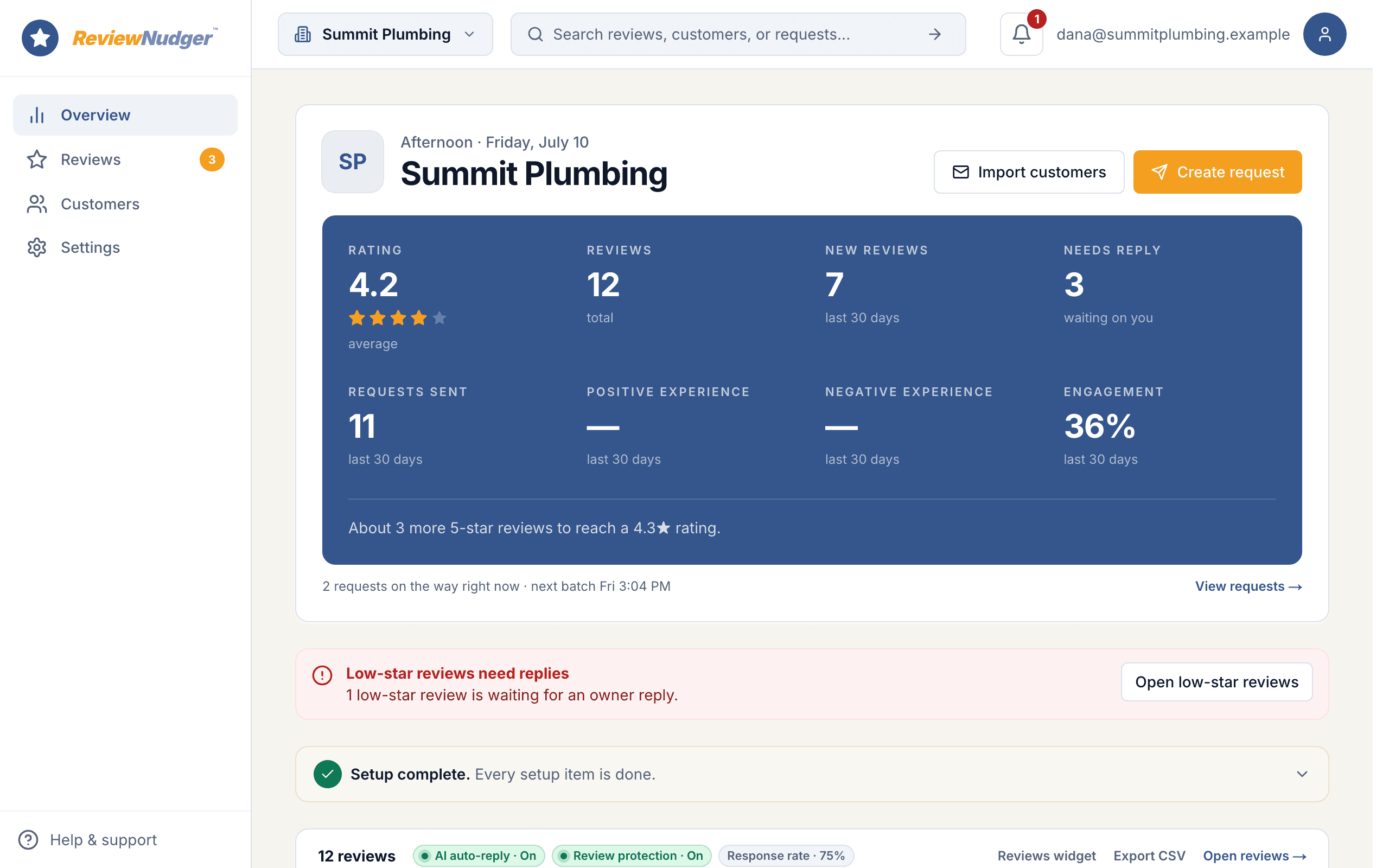
Watch a paid job turn into a Google review.
Follow one customer from payment to review. Then step inside the dashboard to see the follow-ups, replies, and everyday details that run in the background.
15 short steps · about two minutes · no signup · plays right here, or open it on its own page
 Summit Plumbing · example account
The finish catches the eye. The experience wins trust.
Built around your work · Painters
- Interior painting
- Exterior painting
- Cabinet refinishing
- Commercial painting
The best moment happens during cleanup
Customers are most impressed at the reveal, exactly when the crew is checking touch-ups, collecting tools, and trying to leave the property spotless. A request after payment preserves that moment without interrupting the walkthrough.
Small jobs disappear from the review pipeline
A full exterior may prompt someone to ask for a review, while a bedroom, cabinet, or deck job rarely does. Using the same payment trigger lets jobs of every size follow the same request process.
Recent photos need recent proof
A portfolio shows what the finish looked like. Recent reviews explain whether the crew arrived on time, protected the home, communicated clearly, and handled the final details — the trust questions a new customer cannot answer from photos alone.
A business they can get to know
Fresh Coat Painting
“The crew protected the furniture, kept us updated, and took care with the little details at the end.”
Alex · Illustrative reviewer
Most customers will leave a review. You just have to ask.
- 83%
- of customers will leave a review when a business asksBrightLocal, 2026
- 97%
- of people read online reviews before choosing a service businessBrightLocal, 2026
- 5–9%
- more revenue for each one-star improvement in a business’s ratingHarvard Business School
- 74%
- of people want to see a review from the last three monthsBrightLocal, 2026
$0 today · card required · no charge until your 14-day trial ends · $29 a month per location after that

Connect the tools behind your painting projects.
Connect your Google Business Profile and Jobber. The starting point is when an invoice is marked paid in Jobber. Confirm that this event matches finished work in your business, then choose a delay. Staff can also start requests manually for work outside your connected app.
DirectJobber
When an invoice is marked paid in Jobber.
See connection detailsDirectHousecall Pro
When an invoice is paid in Housecall Pro.
MAX or XL plan required.
See connection detailsDirectQuickBooks
When a customer payment is recorded in QuickBooks Online.
See connection detailsPaintScout
When an invoice's status changes.
See connection detailsEstimate Rocket
When a client payment is created.
See connection detailsWait until the tape is down and the walkthrough is done.
A booking deposit arrives too early. Choose a qualifying completion or final payment, and start the review follow-up when the customer has seen the finished work. Staff can send manually when a project needs a deliberate handover.
No payment app? You can still ask today.
Connecting a payment app makes requests fully automatic, but nothing about ReviewNudger requires it — every account gets both of these from day one.
Type a name, hit send
Type a customer’s name and number and the request goes out right away, or at a time you pick. Your crew gets a private link and QR code so they can ask on the spot from their phones.
Upload your customer list
Upload a spreadsheet (CSV file) of past customers and send requests to all of them at once — the fastest first win, from people who already love your work.
Whichever way you send, the same protections apply automatically — unsubscribes, do-not-contact requests, wait periods between asks, and quiet hours.
Send yourself the actual text.
We'll text you the exact review request your customers get after a paid job. It usually lands in about ten seconds.
The complete plan
Every feature. One simple price.
Per location · Unlimited team members
Start free trial$0 today. Card required. No charge until your trial ends.
Everything you need to stay on top of reviews
- Automatic text & email requests
- Follow-ups that stop when customers act
- Google review inbox & AI replies
- Review protection & customer feedback
- Your branding & website widgets
- Unlimited team members
Your own number sends after carrier approval. While verification is pending or recently rejected, accounts that meet the sending conditions may use a ReviewNudger number, subject to limits and availability. See pricing for full terms.
A toll-free texting number and carrier verification are included. A local number is an optional $100/year add-on, billed separately; it requires a paid plan and its own approval.
More than one location? Each location gets its own $29-a-month plan. Get in touch →
Weighing it against Podium or Birdeye?
See how the essentials compareA few questions before you get started.
Should we ask at the walkthrough or after the paint dries?
Start at the point your business considers the work finished, then add the delay you want. A paid invoice can be a useful trigger, but a payment integration does not automatically know whether a separate deposit is the final balance. Use a manual request after the walkthrough when that distinction is needed.
What if a customer hires us for several rooms in stages?
A per-customer cooldown stops the system from treating every phase as a new reason to ask. Set a window that matches your normal project cycle, and payments inside that window will not start another request.
Will reminders stop after someone responds?
Yes. Follow-ups stop when the customer clicks the Google review button, sends private feedback, or opts out. Clicking through is enough; we do not wait for proof that a review was posted. You can also stop follow-ups yourself. A separate repeat-customer cooldown controls when a later visit can start a new request.
What can I do during the 14-day free trial?
Connect Google, bring your reviews into one inbox, connect your job or invoicing app, and prepare your requests and follow-ups. Submit your business details for texting approval during the trial. Trial: up to 50 SMS attempts from your approved toll-free number or, when the sending conditions are met and one is available, a ReviewNudger number during carrier review. See pricing for sending limits. A card is required, but you pay $0 today. Cancel before the trial ends to avoid a charge.
How much does it cost? Are texts extra?
$29 per month per location includes text and email review requests, follow-ups, the Google review inbox, AI reply tools, and unlimited team members. There are no per-message fees or annual contract. Your toll-free texting number and its approval are included. A local area-code number is an optional $100/year add-on.
Can you guarantee reviews or a higher Google ranking?
No. Your customers decide whether to review you and what to write, and Google controls its search results. ReviewNudger makes asking and following up consistent. It does not buy reviews, promise a review count, or filter unhappy customers out of the default request.
Need help checking your setup? Email support@reviewnudger.com and a human will help.

Let the final walkthrough lead to a story worth sharing.
Set up in about 10 minutes. Requests go out after each paid job, follow-ups run on their own, and every review lands in one inbox.
$0 today · card required · no charge until your 14-day trial ends · $29 a month per location after that