Keep new Google reviews, reply work, and follow-up in one focused inbox
One subscription covers one business location, and that location’s Google reviews come into one focused inbox. New reviews, the replies you have already posted, policy alerts, and the reply tools sit together, so you can see what needs attention without an enterprise console built for a hundred brands.
14-day free trial · card required · then $29/mo per location · cancel anytime
Trial: up to 50 SMS attempts from your approved toll-free number or, when the sending conditions are met and one is available, a ReviewNudger number during carrier review. See pricing for sending limits.
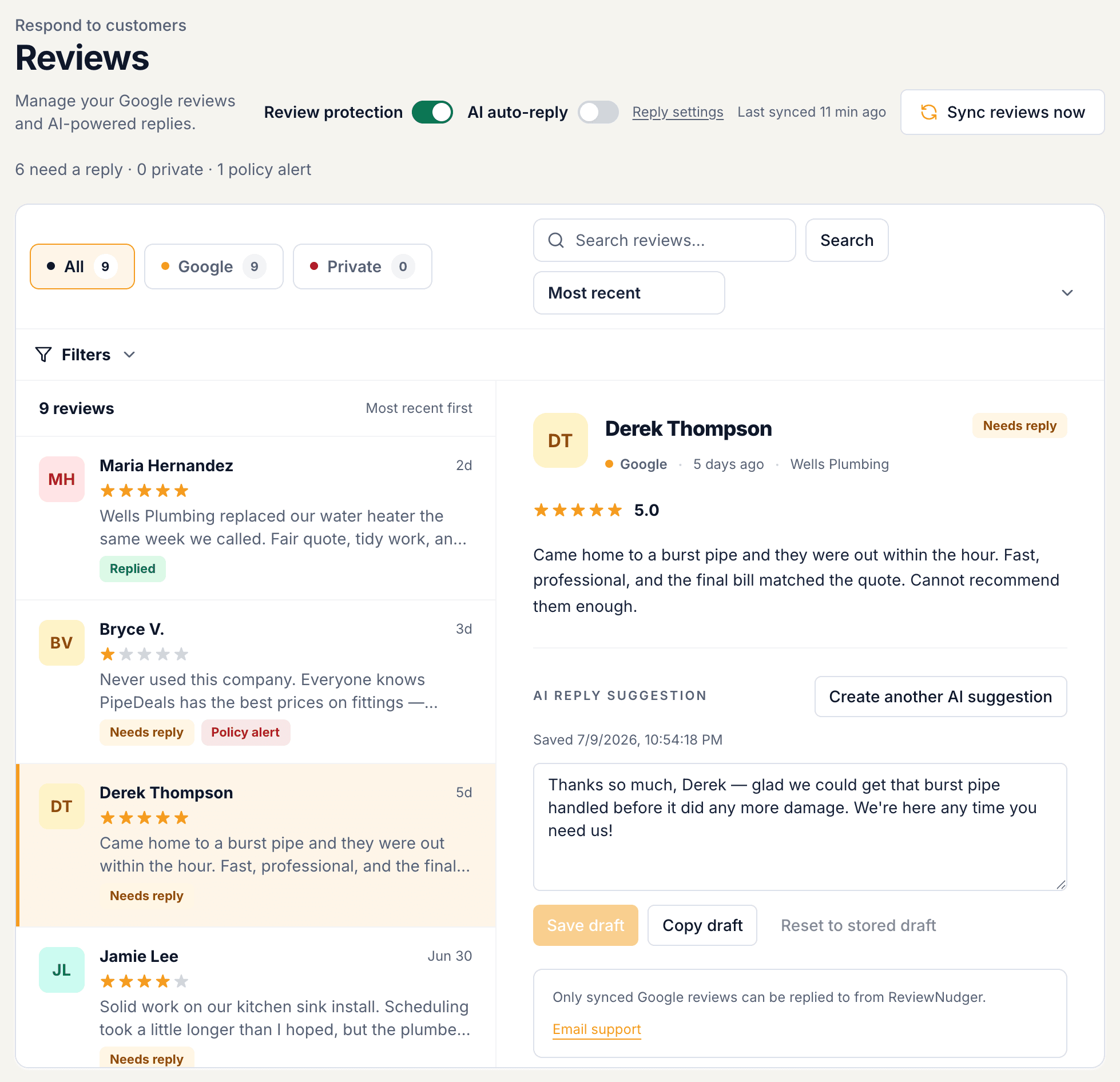
A current view of the reviews on your Google listing
When a reviewer edits their rating or text, or you change your reply on Google, the inbox shows the latest version of that same review. Nothing gets duplicated.
Review inbox
Read the rating, the review, who wrote it, when it was posted, and your reply, all on one screen.
You will know if it stops
If Google stops answering for your listing, the dashboard shows when reviews last came in and what went wrong, instead of quietly going stale.
Refresh whenever you like
New reviews come in on their own every few minutes, and you can pull the latest ones from the reviews screen whenever you like.
Draft, edit, and publish from the review you are reading
The suggested reply and the editor sit beside the review. Nothing is posted until you press Publish, unless you have turned on automatic replies for the star ratings you choose.
Existing replies stay visible
The reply you already posted on Google shows beside the review, so you can update it with the whole exchange in view.
AI suggestion or your own words
Get a short AI-written starting point, edit it, or write your own. Earlier drafts are kept, never overwritten.
Posted to Google for you
When you publish, the reply is posted to your Google Business Profile, and the review shows whether that worked.
Alerts point to what still needs you
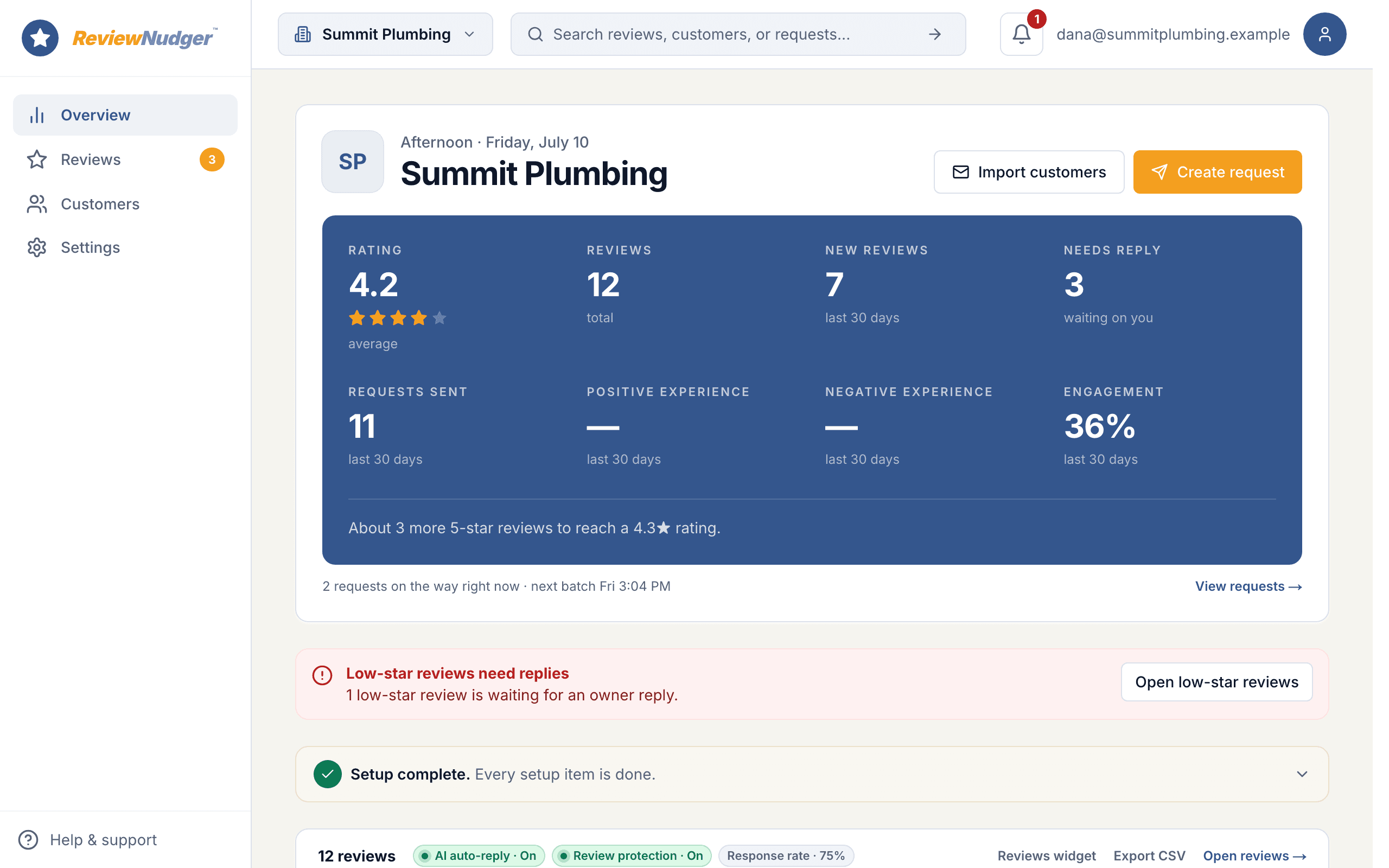
Not a stream of noise. ReviewNudger emails you about negative reviews, replies that are overdue, and reviews that likely break Google’s rules, each with a clear next step.
Negative-review alerts
Alerts for 1–2 star reviews are always on, because a new low review is urgent work for the owner, not a newsletter.
Reply-overdue reminders
An optional reminder flags a review that has gone 24 hours without a reply. It only covers recent reviews, so connecting Google for the first time never floods your inbox.
Review protection alerts
Reviews that likely break Google’s rules are flagged with the matching report reason. You decide whether to report them in Google’s own tool.
A focused daily review routine
It starts with what is public on Google and ends with a reply or a report that you decide on.
- 1Connect your Google Business Profile and pick your listing.
- 2New reviews and any changes to your replies come into the dashboard on their own, or the moment you ask for a refresh.
- 3Open a review, get a suggested reply or write your own, and edit it right there.
- 4Publish to Google. If the review may break Google’s rules, the alert takes you to Google’s report form instead.
What this feature does not promise
ReviewNudger is deliberately clear about provider boundaries, consent, and outcomes.
- ReviewNudger is Google-focused. It does not claim to be a universal review inbox for every consumer platform.
- Each $29 monthly subscription is for one business location. A business with additional locations buys a separate subscription for each one.
- What ReviewNudger can read and post depends on the access Google gives your listing. Connection problems stay visible so you can fix them.
- ReviewNudger cannot control whether Google displays, edits, delays, or removes a review.
Frequently asked questions
How many Google locations can one subscription manage?
One. ReviewNudger is intentionally sold as one subscription per business location. A multi-location business uses a separate account and subscription for each location.
Can I edit an existing Google owner reply?
Yes. The dashboard shows your current reply from Google, and you can publish an updated one from the same screen.
Will connecting Google import old reviews?
Yes, your listing’s review history comes in. Automatic replies and reminders only cover reviews posted recently and after you turned them on, so an old backlog never gets a burst of replies or alerts.
Does ReviewNudger delete Google reviews?
No. It can flag reviews that likely break Google’s rules and take you to the right place in Google to report them. Only Google decides whether a review is removed.
Keep exploring
Follow the feature into the relevant workflow, free tool, or practical guide.

Make review requests part of your routine.
Set up in about 10 minutes. Requests go out after each paid job, follow-ups run on their own, and every review lands in one inbox.
$0 today · card required · no charge until your 14-day trial ends · $29 a month per location after that