Honest comparison
Birdeye vs Thryv.
Compare pricing, scope, and the tools your team will use. We also include our own $29 monthly review tool, ReviewNudger, so you can weigh a simpler option.
14-day free trial · card required · then $29/mo per location · cancel anytime
Trial: up to 50 SMS attempts across your account. Send from your approved toll-free number or, when the sending conditions are met and one is available, a ReviewNudger number while verification is pending or recently rejected. See pricing for sending limits.
Birdeye vs Thryv at a glance
Start with pricing, trial terms, support, and the day-to-day workflow. ReviewNudger is included as our $29-per-location option.
Swipe across the table to see every platform.
| Compare | One plan. All core features. | Birdeye | Thryv |
|---|---|---|---|
| Price | $29 per month per location, published, paid-plan messaging included; optional local number $100/year | Custom quote; no public entry price | Published: $99 Starter and $399 Signature, plus a custom-priced top tier |
| Free trial | 14 days free · $0 today · card required | Ask sales about trial availability | Confirm trial availability with the vendor |
| Customer support | Email support with a real human | Confirm support options in your quote | Confirm support for your selected plan |
| Core product | Google review requests triggered by completed payments | Experience management: reviews, listings, surveys, reporting | Website builder, directory listings, marketing center, social tools, and review management in one suite |
| How you buy | Self-serve signup with a 14-day free trial, month-to-month | Custom quote through sales; confirm the term | Published plans, monthly or annual billing; the 15% discount is tied to the annual term |
| Best-fit business | Service businesses that want more Google reviews from work they already did | Multi-location brands with marketing staff and listings needs | Small businesses that want one vendor for website, listings, marketing, and reviews |
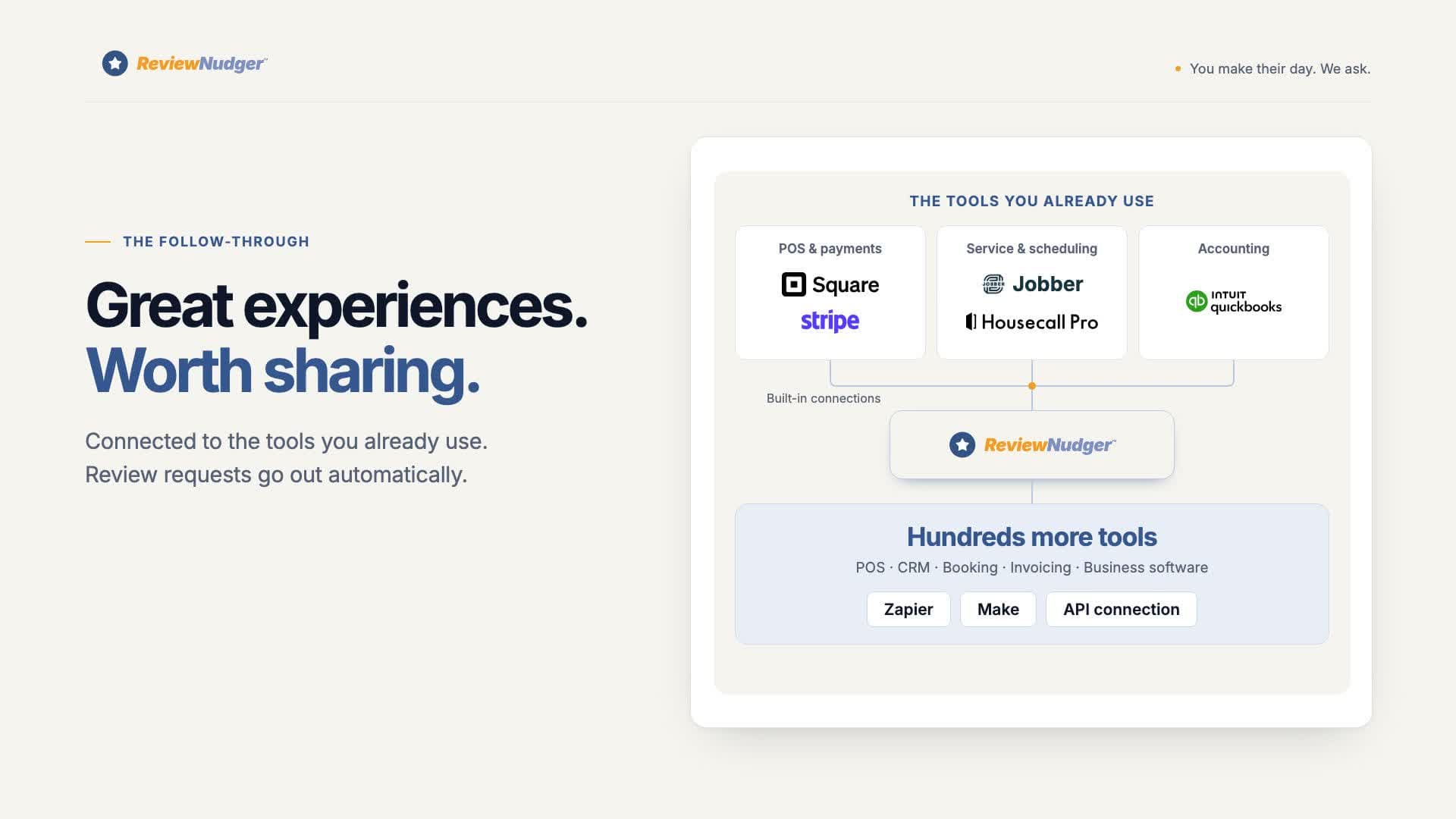
| Review request trigger | Automatic after completed payments in Jobber, Square, QuickBooks, Stripe, or Housecall Pro | Campaigns and automations configured in the platform | Review tools operated inside the Thryv platform workflow |
What each platform is
Birdeye and Thryv overlap more than most pairs on this site: both manage business listings across directories, both monitor and request reviews, and both sell to local businesses. The difference is the buyer. Birdeye is built for multi-location brands — listings at scale, surveys, social publishing, and brand-level reporting, sold through custom quotes. Thryv is built for individual small businesses — a website builder, listings across 60+ directories, and a marketing center at published prices from $99 per month. This page lays out where they genuinely differ, and the $29 option if review volume is the actual job.
Birdeye
Birdeye is an experience-management platform for multi-location businesses and brands: review generation and monitoring, business-listings management across dozens of directories, surveys, social publishing, and brand-level reporting. Birdeye requires a custom quote; its public pricing page does not publish an entry price. Ask for the location count, included products, fees, and term in writing.
Thryv
Thryv is an all-in-one platform for individual small businesses: an AI website builder, listings across 60+ directories, review management, social tools on higher tiers, and a marketing center. Pricing is published — $99 per month Starter, $399 per month Signature, a custom-priced Amplify tier, and a 15% discount for annual billing — so a small business can read the price before talking to sales.
The complete review workflow
Ask. Follow up. Reply. All in one place.
The features that turn a finished job into a consistent review routine, included in your $29 monthly plan.
SMS & email requests
The job is done. The review ask is ready.
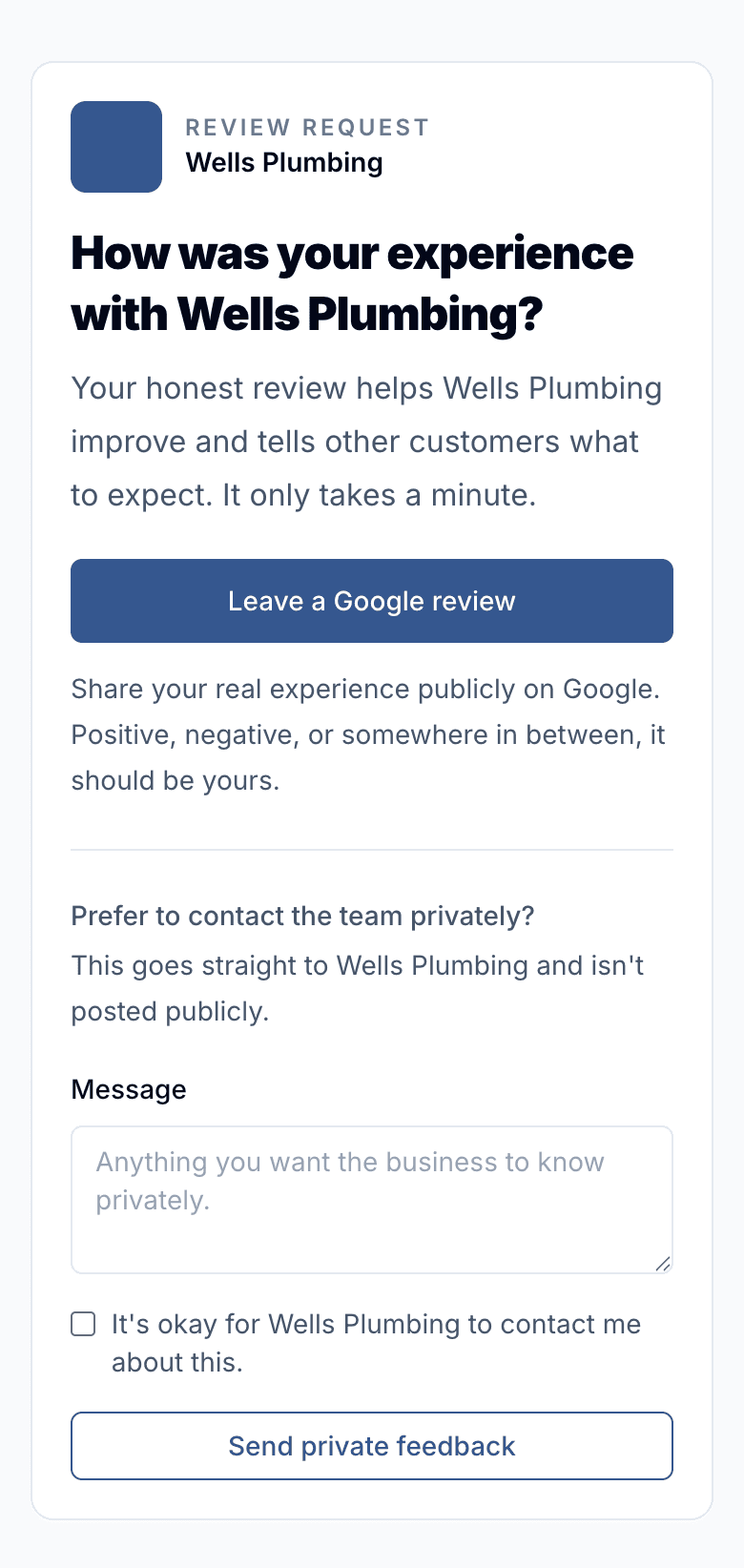
Connect a supported payment or appointment app and let completed work start the request. Customers get a branded page with a clear path to Google and any other public review links you add.
- Personalized text and email requests
- Send automatically, manually, or from a CSV import
- A public review link for every customer
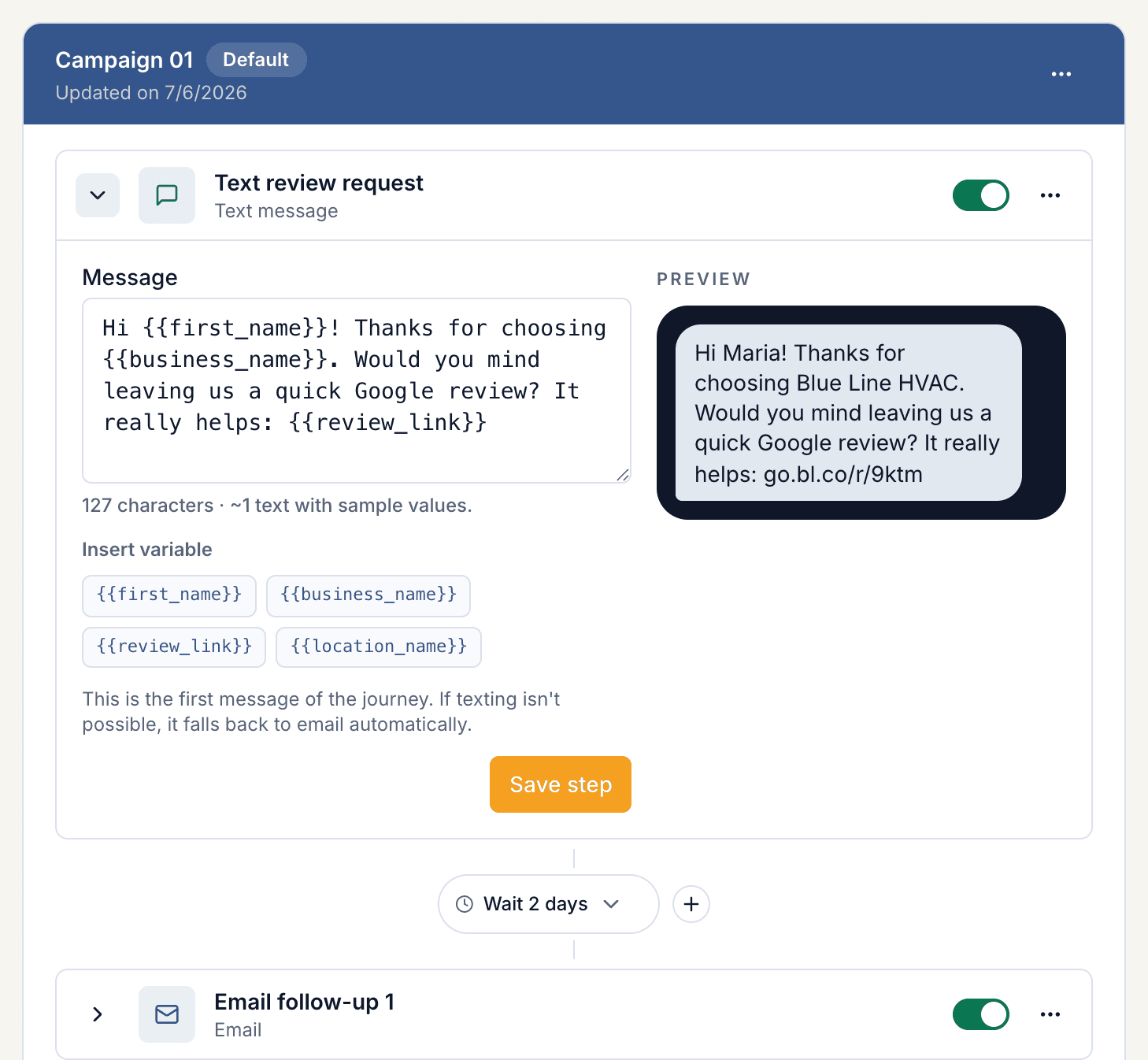
Follow-up campaigns
Give busy customers a timely reminder.
Build an ordered sequence of texts and emails. Choose the wait between steps, write the message in your own voice, and pause follow-ups when you need to.
- Combine SMS and email in the same campaign
- Control the timing and copy of each step
- Built-in opt-outs, cooldowns, and duplicate protection
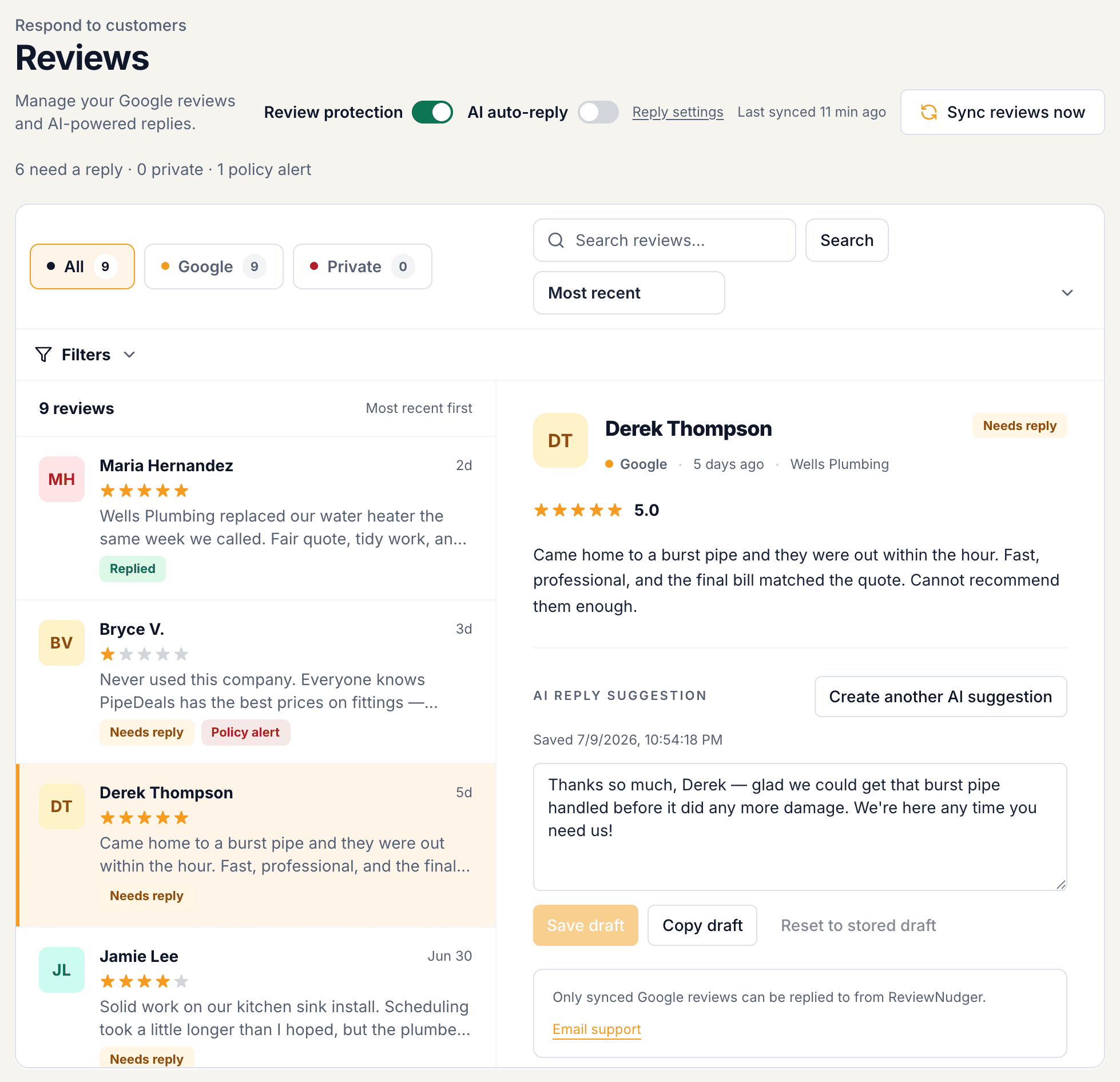
Google reviews & AI replies
A thoughtful reply, without the blank page.
Read your synced Google reviews in one inbox. Start with an AI draft you can edit, or enable automatic replies with your chosen settings. New negative-review alerts help your team know when to step in.
- Editable AI drafts and optional automatic replies
- Search and filter your Google reviews
- Unlimited team members to share the follow-through
Review activity & feedback
See what happens after the ask.
Follow request activity, review growth, and customer feedback from your dashboard. See what needs a reply and which requests need attention, then keep your team focused on the next useful action.
- Review counts and rating trends in one dashboard
- Customer feedback alongside review-request activity
- Advisory review protection helps you assess policy violations
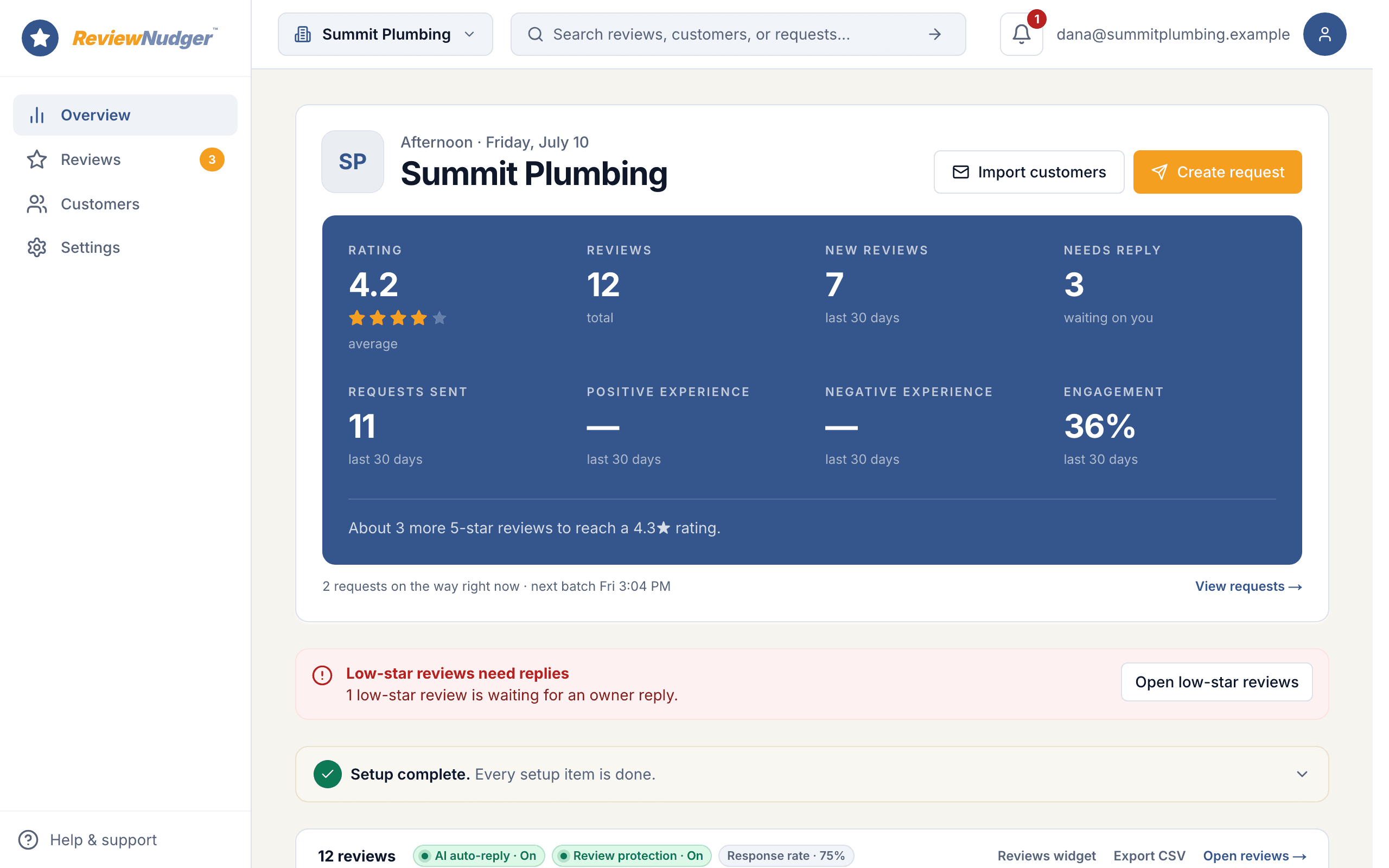
Product screens show example activity. Trial: up to 50 SMS attempts across your account. Send from your approved toll-free number or, when the sending conditions are met and one is available, a ReviewNudger number while verification is pending or recently rejected. See pricing for sending limits.
See the request your customers receive.
Try the customer experience before you choose your review software.
Which should you pick?
When Birdeye is the right call
Pick Birdeye if you manage many locations under one brand: listings that must stay consistent across dozens of directories per location, surveys, and consolidated brand-level reporting a marketing team will use. That scale machinery is what Birdeye actually sells, and a small-business suite does not replicate it.
When Thryv is the right call
Pick Thryv if you are one business that wants one vendor: a built website, listings handled, marketing campaigns, and review management together, at prices published on the website. For an owner replacing a patchwork of subscriptions, Thryv's bundle at a readable price is the honest draw.
The $29 third option: ReviewNudger
If what you actually need is more Google reviews — not listings, surveys, or a website — that is a $29 job. ReviewNudger can trigger one neutral review request from each completed payment in the software you already run, syncs new Google reviews into one inbox, and drafts replies with AI, at a published $29 per month per location, month-to-month. We make ReviewNudger, so weigh this paragraph accordingly; the table above stands on its own.
One plan. The whole review workflow.
Start with a 14-day trial. Keep the tools your team needs for $29 per month per location.
ReviewNudger
$29/ month
Per location · cancel anytime
Start free trial$0 today · card required · no charge until your trial ends. Trial: up to 50 SMS attempts across your account. Send from your approved toll-free number or, when the sending conditions are met and one is available, a ReviewNudger number while verification is pending or recently rejected. See pricing for sending limits.
A toll-free texting number is included. A local area-code number is an optional $100/year add-on.
Full pricing and trial details- Automatic text or email review requests
- Connects to your Google Business Profile to pull in every review
- AI-suggested replies you can edit, plus optional auto-reply
- Full review inbox with search and filters
- Automatic asks after payments in Jobber, Square, QuickBooks, Stripe, and Housecall Pro
- Automatic follow-up messages you control
- Review protection that flags spam and fake-looking reviews
- Alerts when negative reviews come in
- A review widget and "Review us" buttons for your website
- A private link and QR code so staff can ask on the spot
- Optional thank-you email after a customer reviews you
- Unlimited team members, one location
- Your own toll-free texting number, with carrier approval handled for you
- Email support with a real human
Where we stand on review gating
A note on review gating, because it matters when you compare tools: by default ReviewNudger sends every customer the same neutral request with the same public Google review link — no sentiment checks and no star-rating questions deciding who gets asked. There is one optional, clearly disclosed per-location mode that asks how the visit went first, and even in that mode the public Google review link stays available to every customer, including unhappy ones. Selectively suppressing negative reviews violates FTC rules and Google's review policies, so whichever platform you choose, make sure its defaults keep you on the right side of both.
Where we stand on review removal
A note on review removal, because it comes up in the same comparisons: ReviewNudger includes review protection, which can screen newly synced Google reviews for likely violations of Google's review content policy — spam or fake content, off-topic content, conflicts of interest, profanity, harassment, hate speech, exposed personal information — and flag what it finds with a plain-English explanation. It is advisory only and configurable per location: you decide which flags deserve action and report them through Google's own reporting tool. ReviewNudger never submits reports on your behalf, and whether a flagged review comes down is always Google's decision — so whichever platform you choose, treat guaranteed-removal promises with skepticism.
Competitor pricing reference: September 28, 2026. Prices and quote requirements come from the linked official vendor pages. Confirm current pricing, included features, and terms with the vendor before buying.
Related comparisons and resources
Read the direct alternative pages, check the buying criteria, or review the plan before starting a trial.
Frequently asked questions
Both manage listings — what is the real difference?
Scale and surroundings. Birdeye's listings management is part of a multi-location reputation platform with surveys and brand reporting; Thryv's listings across 60+ directories come bundled with a website builder and marketing center for a single business. The right one depends on whether you are a brand or a shop.
Is Birdeye or Thryv cheaper?
Thryv is the only one you can price from its website: $99 per month Starter and $399 Signature, published. Birdeye sells through custom quotes, without a published entry price. Get the Birdeye quote in writing before treating the two as comparable.
Is Birdeye worth it for a single-location business?
Usually only if you need its specific machinery. Its packaging assumes multi-location listings and reporting needs; a single business that mainly wants review volume and a tidy profile gets there with far less product — and far less spend.
Do these tools avoid review gating?
Review gating — screening out likely-unhappy customers before showing the review link — violates the FTC's consumer-review rules and Google's policies regardless of which software you use. Evaluate every tool's defaults, and keep the public review link available to every customer.
Questions before you start? Email support@reviewnudger.com and a human will answer.