
Customer check-ins
Months later, we check in so they hire you again.
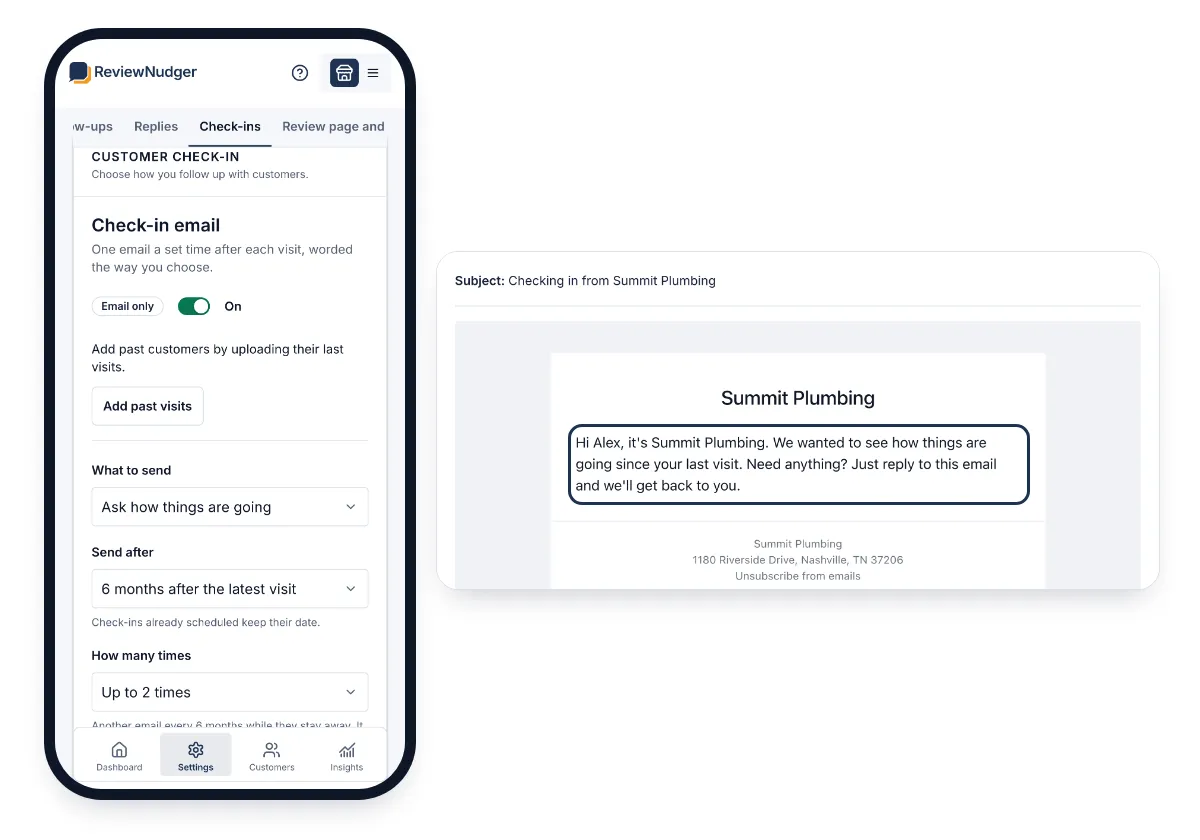
Choose how long to wait after a customer’s latest visit or job: 1, 3, 6, 9 or 12 months. Choose a check-in that asks how things are going, or a note that it’s time to book again. You start from suggested wording for your trade and can edit it.
14 days free, then $29/month for one location. Card required.
Results from businesses using ReviewNudger
- Google reviews in the first 30 days vs. before
- 4.3×
- average rating of Google reviews posted after signup
- 4.95★
Both figures are November 2026 data from businesses using ReviewNudger. Results vary.
How it works
From one visit to the next
Step 1
Choose when and what
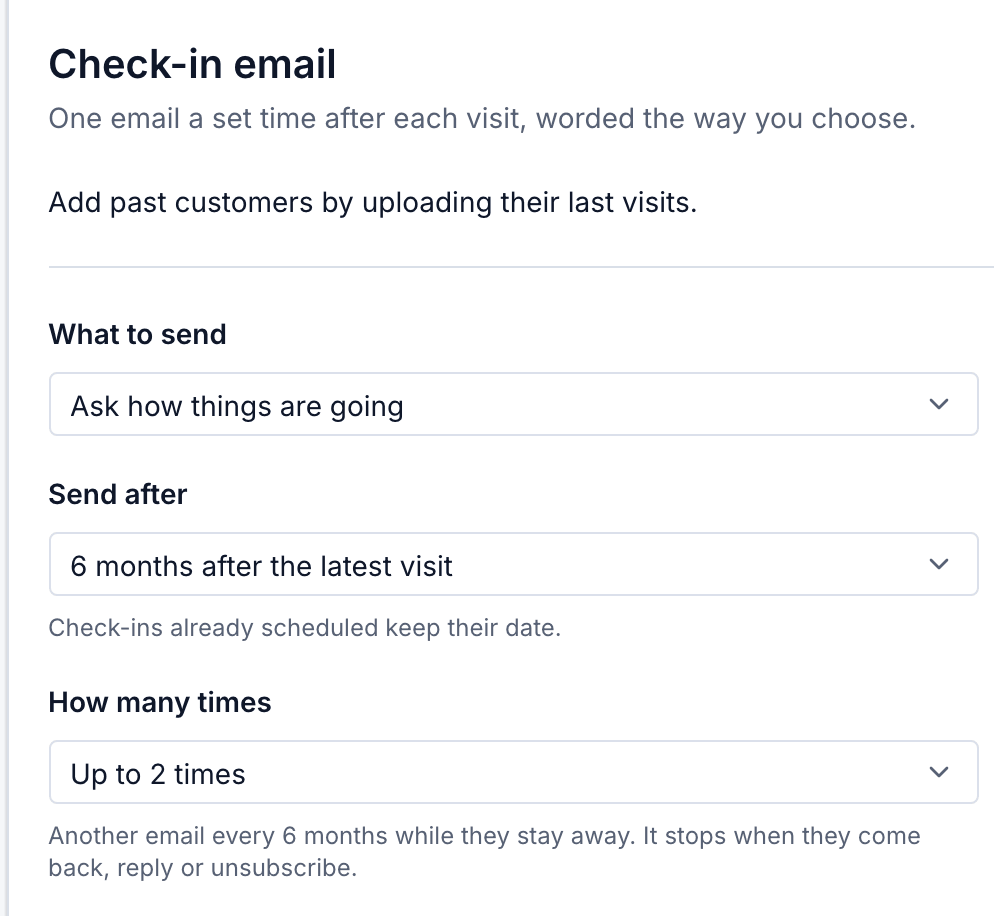
Choose how long to wait after a customer’s latest visit or job: 1, 3, 6, 9 or 12 months.
Step 2
They get your note
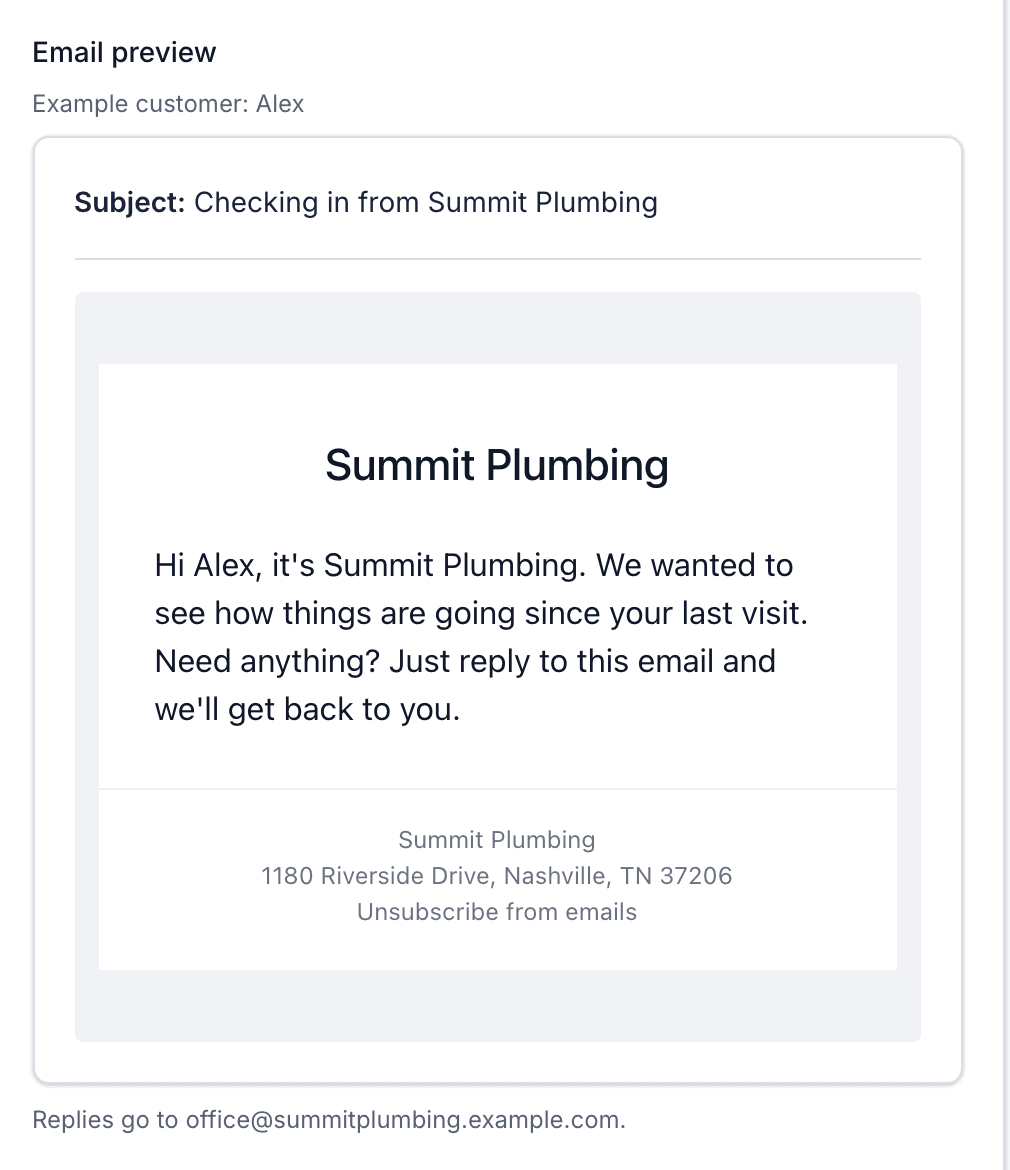
Choose a check-in that asks how things are going, or a note that it’s time to book again. You start from suggested wording for your trade and can edit it.
Step 3
See who is scheduled
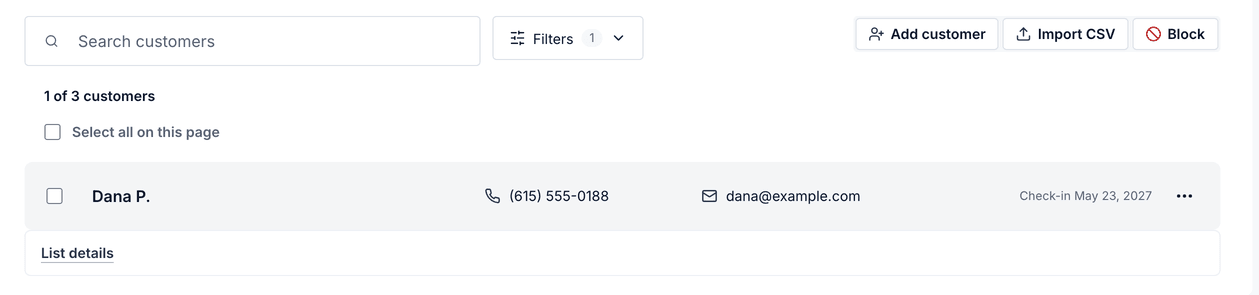
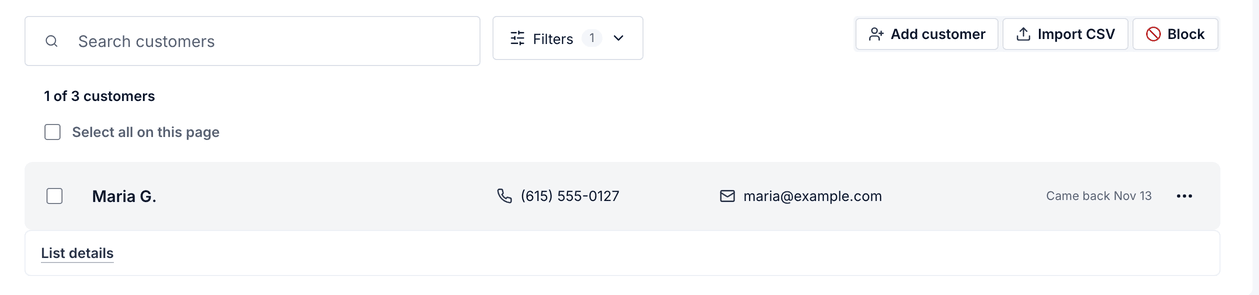
Each customer’s next check-in shows in Customers with its date.
Step 4
See who came back
See who’s scheduled, who got a check-in and who came back after one.
“Wes was very helpful getting me set up with ReviewNudger. He was professional and answered my questions quickly. With a smaller company like his, you talk directly with the people behind it. I'm happy to be using it.”
Setup story from an acupuncture practice.
How it works
A note at the right time
Choose how long to wait after a customer’s latest visit or job: 1, 3, 6, 9 or 12 months.
Your words
Choose a check-in that asks how things are going, or a note that it’s time to book again. You start from suggested wording for your trade and can edit it.
Up to 3 times
If they still haven’t come back, up to 3 check-ins go out for that visit. A new visit, a reply to the email or an unsubscribe stops the rest.
Email or text
A 6-month check-in goes by text from your own approved number when the customer agreed to texts. Otherwise it goes by email.
You check the list first
It starts with visits after you turn it on. Past customers get one only from a list you check and confirm.
A few a day
Past-customer check-ins go out at most 10 a day, oldest visit first, and the rest stop if emails bounce or someone marks one as spam.
Only the right customers
Customers who unsubscribed, opted out or are on your do-not-contact list never get one.
Came back after a check-in
Came back means a later paid or finished job at the same location, not proof the check-in caused it.
Check-in details
If they still haven’t come back, up to 3 check-ins go out for that visit. A new visit, a reply to the email or an unsubscribe stops the rest. It starts with visits after you turn it on. Past customers get one only from a list you check and confirm. Turn it on in Settings under Check-ins.
Turn it on once. After that, each visit starts a check-in for later.
- 1In Settings under Check-ins, turn on the check-in email and save.
- 2Choose how long to wait after a customer’s latest visit or job: 1, 3, 6, 9 or 12 months.
- 3Choose a check-in that asks how things are going, or a note that it’s time to book again. You start from suggested wording for your trade and can edit it.
- 4If they still haven’t come back, up to 3 check-ins go out for that visit. A new visit, a reply to the email or an unsubscribe stops the rest.
- 5See who’s scheduled, who got a check-in and who came back after one.
Safeguards
Past customers
Reach customers from before
You can also schedule check-ins for past customers whose last visit was up to 2 years ago, by email, at most 10 a day.
What you see
See who came back
See who’s scheduled, who got a check-in and who came back after one.
Texts that follow the rules
A text check-in uses fixed wording that ends with “Reply STOP to opt out.” and goes out between 9 AM and 9 PM.
Each visit starts over
A newer visit replaces any check-in still waiting, so a customer never gets one right after a job.
What this feature does not promise
Plain limits
- It starts with visits after you turn it on. Past customers get one only from a list you check and confirm.
- A text check-in uses fixed wording that ends with “Reply STOP to opt out.” and goes out between 9 AM and 9 PM.
- Only a first check-in at 6 months can go by text. Other waits and the repeats go by email.
- Texts need your own number approved for check-ins. Until then, check-ins go by email.
- Past customers get check-ins by email only.
Frequently asked questions
Will it email all my past customers when I turn it on?
No. It starts with visits after you turn it on. Past customers get one only from a list you check and confirm.
Can it go by text?
A 6-month check-in goes by text from your own approved number when the customer agreed to texts. Otherwise it goes by email. A text check-in uses fixed wording that ends with “Reply STOP to opt out.” and goes out between 9 AM and 9 PM.
What stops the check-ins?
A new visit, a reply to the email or an unsubscribe stops the rest. Each visit leads to up to 3 check-ins.
How do I know if it worked?
See who’s scheduled, who got a check-in and who came back after one. Came back means a later paid or finished job at the same location.
How much does it cost?
Included in every plan. $29 a month for one location, or $89 a month for 2 to 10 locations, billed month-to-month.
Start getting reviews from the customers you already have.
Try ReviewNudger free for 14 days. Connect your software and every customer gets a text or email asking for a Google review.
14 days free, then $29/month for one location. Card required.