
Customer referrals
Happy customers send you their friends.
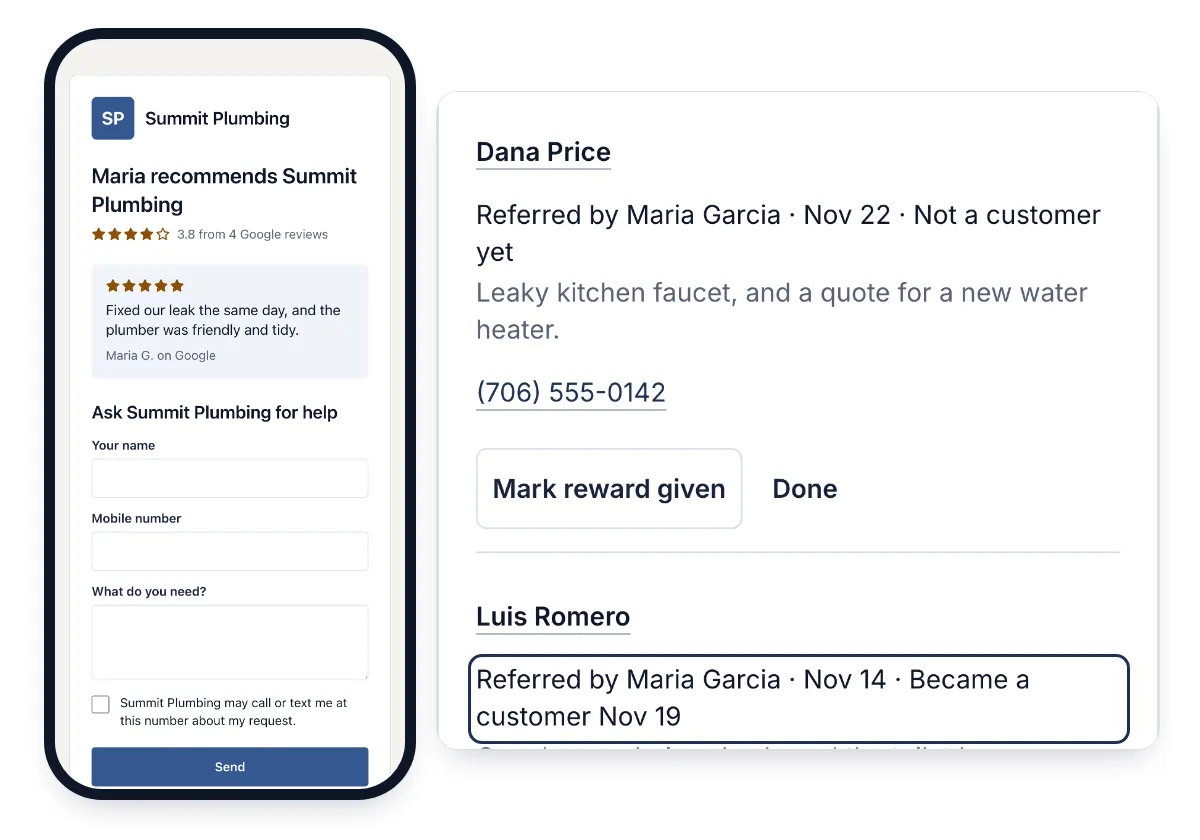
Happy customers get a link to send their friends to you. You see who referred whom, and which friends went on to become customers.
14 days free, then $29/month for one location. Card required.
Results from businesses using ReviewNudger
- Google reviews in the first 30 days vs. before
- 4.3×
- average rating of Google reviews posted after signup
- 4.95★
Both figures are November 2026 data from businesses using ReviewNudger. Results vary.
How it works
From a good review to a new customer
Step 1
They get their link
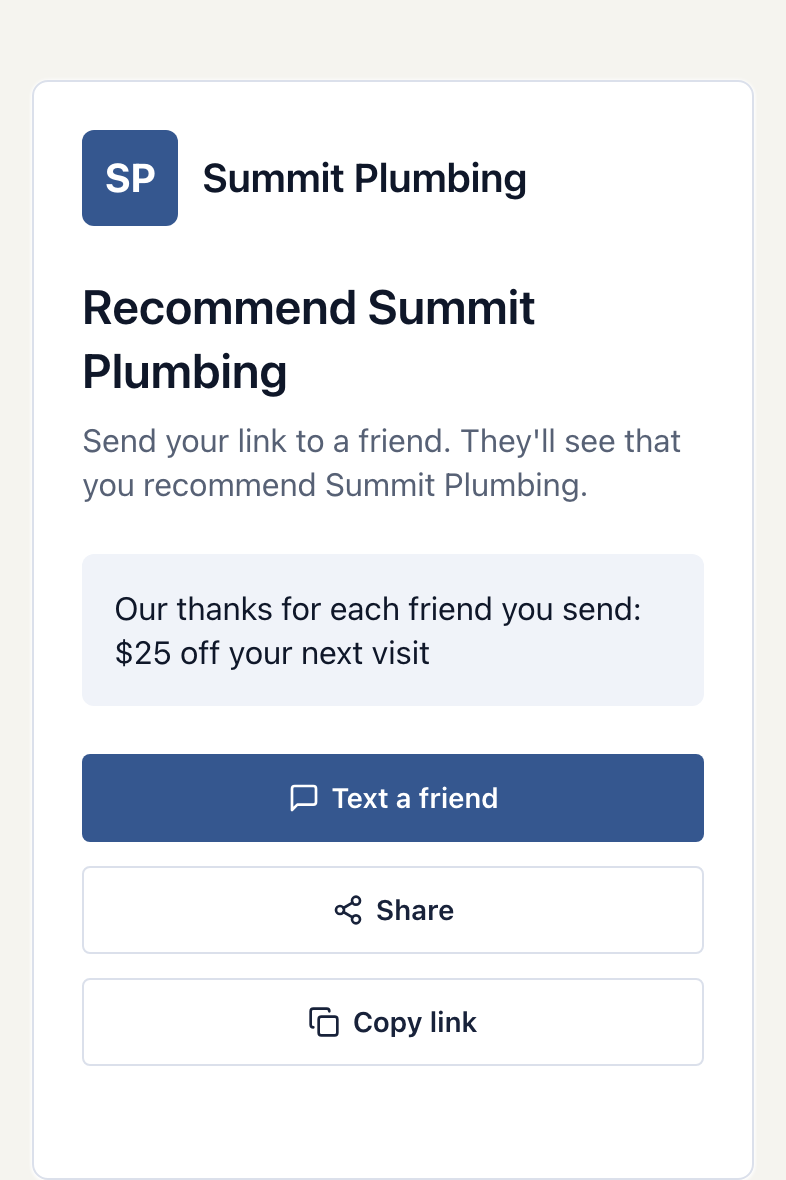
When we match a Google review of 4 or 5 stars to a customer you asked, your thank-you email invites them to share their own link. You can choose 5 stars only.
Step 2
They send it to a friend
They send it themselves, by text or any app on their phone. ReviewNudger never contacts their friends.
Step 3
The friend asks for help
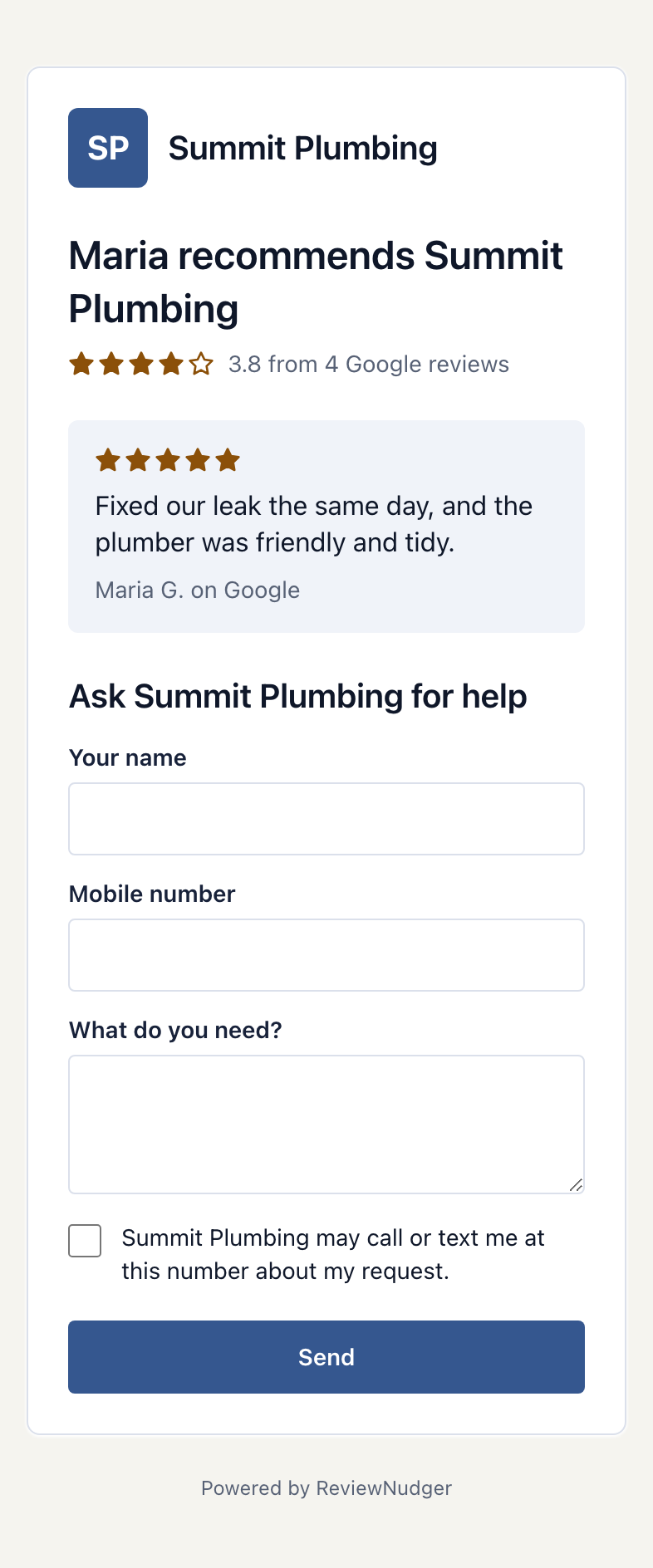
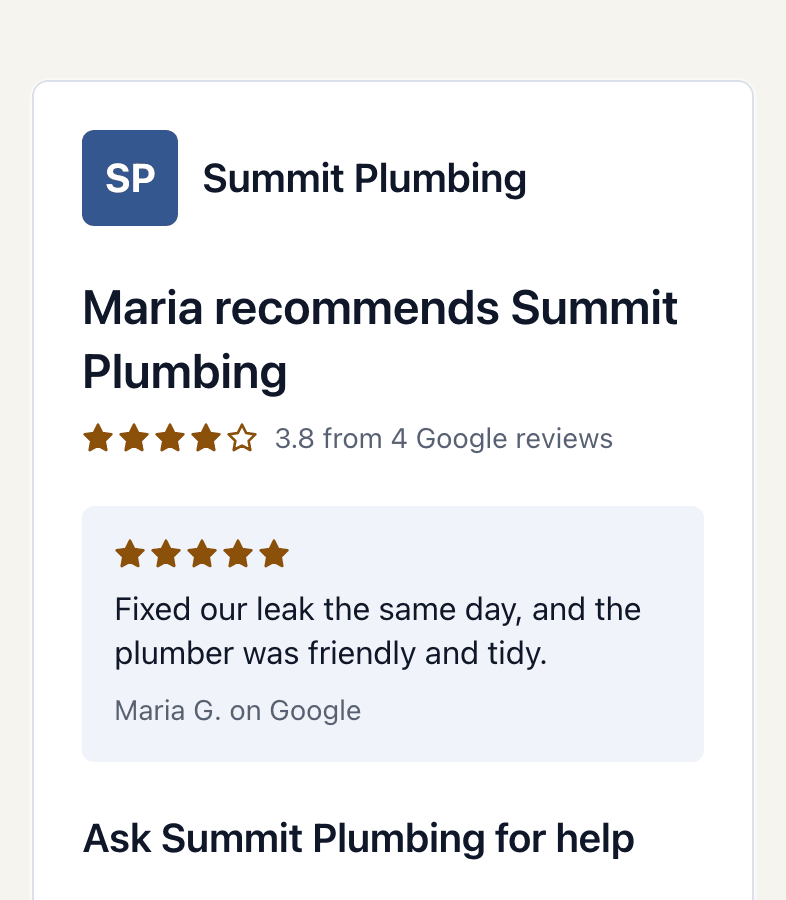
A friend who taps the link sees who recommended you, then takes the one step you choose: ask you for help, book, or visit your website.
Step 4
You see who became a customer
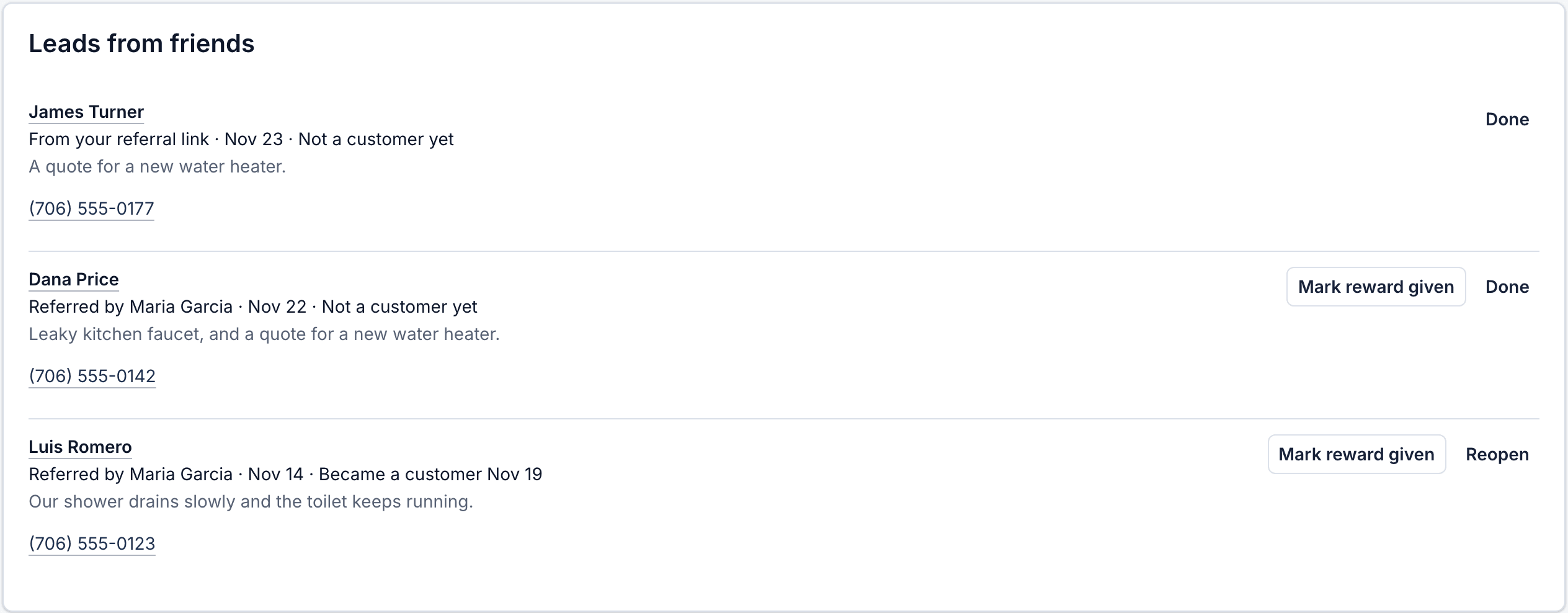
You see who referred whom, and which friends went on to become customers.
“Wes was very helpful getting me set up with ReviewNudger. He was professional and answered my questions quickly. With a smaller company like his, you talk directly with the people behind it. I'm happy to be using it.”
Setup story from an acupuncture practice.
How it works
One link for each happy customer
When we match a Google review of 4 or 5 stars to a customer you asked, your thank-you email invites them to share their own link. You can choose 5 stars only.
Shared from their own phone
They send it themselves, by text or any app on their phone. ReviewNudger never contacts their friends.
A page for each friend
A friend who taps the link sees who recommended you, then takes the one step you choose: ask you for help, book, or visit your website.
A general link too
You can also share a general link and QR code with no one named on it.
Every lead in one list
Each friend’s name, number, what they need and who sent them shows under Insights. You also get an email for each new request.
Became a customer
When a friend later pays or finishes a job in your connected software, the lead shows the day they became a customer.
Rewards you give
Offer a reward if you like. You give it yourself, and it is for the referral, never for a review.
Only after the review
The ask goes out only after the customer’s Google review is posted. It never changes who gets a review request or which review links anyone sees.
Referral details
When we match a Google review of 4 or 5 stars to a customer you asked, your thank-you email invites them to share their own link. You can choose 5 stars only. They send it themselves, by text or any app on their phone. ReviewNudger never contacts their friends. The ask goes by email, and only after the customer’s Google review is posted. Turn it on in Settings under Check-ins.
Turn it on once. After that, each matched review at or above the stars you choose gets the ask.
- 1In Settings under Check-ins, turn on customer referrals. Choose 4 and 5 stars or 5 stars only, where friends land, and an optional reward line.
- 2When we match a Google review of 4 or 5 stars to a customer you asked, your thank-you email invites them to share their own link. You can choose 5 stars only.
- 3They send it themselves, by text or any app on their phone. ReviewNudger never contacts their friends.
- 4A friend who taps the link sees who recommended you, then takes the one step you choose: ask you for help, book, or visit your website. On your own form, they leave their name, mobile number and what they need.
- 5When that friend later pays or finishes a job in your connected software, the lead shows the day they became a customer.
Safeguards
What you see
Know which friends became customers
You see who referred whom, and which friends went on to become customers.
Safeguards
Reviews stay separate from referrals
The ask goes by email, and only after the customer’s Google review is posted.
Friends are never contacted
ReviewNudger never asks a customer for a friend’s details and never messages a friend.
First names on public pages
Public pages show a customer’s first name, or a first name and last initial on a quoted review.
What this feature does not promise
Plain limits
- The ask goes by email, and only after the customer’s Google review is posted.
- The ask goes only when we can match the Google review to the customer you asked.
- Only reviews that arrive after you turn it on get the ask, so turning it on never emails your past reviewers.
- ReviewNudger doesn’t pay, track or apply rewards. You give them yourself.
- Not yet available for healthcare practices.
Frequently asked questions
Is the reward for leaving a review?
No. Offer a reward if you like. You give it yourself, and it is for the referral, never for a review.
Will ReviewNudger contact my customers’ friends?
They send it themselves, by text or any app on their phone. ReviewNudger never contacts their friends.
Can the ask go by text?
Not yet. It goes by email, with the thank-you for their review. You can also copy a customer’s link from their page and send it yourself.
How do I know a friend became a customer?
When the friend later pays or finishes a job in your connected software, the lead shows the day they became a customer. A friend who was already your customer shows that instead.
How much does it cost?
Included in every plan. $29 a month for one location, or $89 a month for 2 to 10 locations, billed month-to-month.
Start getting reviews from the customers you already have.
Try ReviewNudger free for 14 days. Connect your software and every customer gets a text or email asking for a Google review.
14 days free, then $29/month for one location. Card required.