They passed the test. Now let their parents tell the next family.
You teach the lessons. ReviewNudger sends a neutral Google review request to the parent or adult contact when a student finishes, then handles the reminders through your connected scheduling app.
$0 today · card required · no charge until your 14-day trial ends · $29 a month per location after that
Connect the software you already run the business on.
Every paid job or finished appointment sends the review request for you.

 FreshBooks
 ServiceM8
 Mindbody
 Gingr
Gingr
 Follow Up Boss
 Hostaway
 JobNimbus
 Make
Make
 Tripleseat
 Checkfront
 Shopmonkey


An example scorecard for Summit Plumbing: review grade B, #4 of 11 nearby plumbers. Your scorecard reads your real listing.
See how you stack up against nearby competitors.
Find your business and get a free review scorecard: your grade, how you rank against nearby businesses in your category, and what it takes to move up.
Public Google data only. Free, no signup.
A stronger reputation. A lighter workload.
From the first review request to the reply, put the follow-through on autopilot.
01Automatic requests
The work is done. The review request is already handled.
Connect Square once. Review requests go out at the time you choose.
- Send by text or email after a payment or appointment
- Your timing. Your message. No manual sending.
- See which apps connect
From finished work to a friendly ask.
ExamplePayment received
James Okafor · 8:41 AM
Hi James! Thanks for choosing Summit Plumbing. Would you leave us a Google review? Your review helps others choose with confidence. https://reviewnudger.com/r/example Reply STOP to opt out.
Review request sent automatically
One less thing on your to-do list.
Everything above is included in the one $29-a-month plan — nothing here costs extra.
$0 today · card required · no charge until your 14-day trial ends · $29 a month per location after that
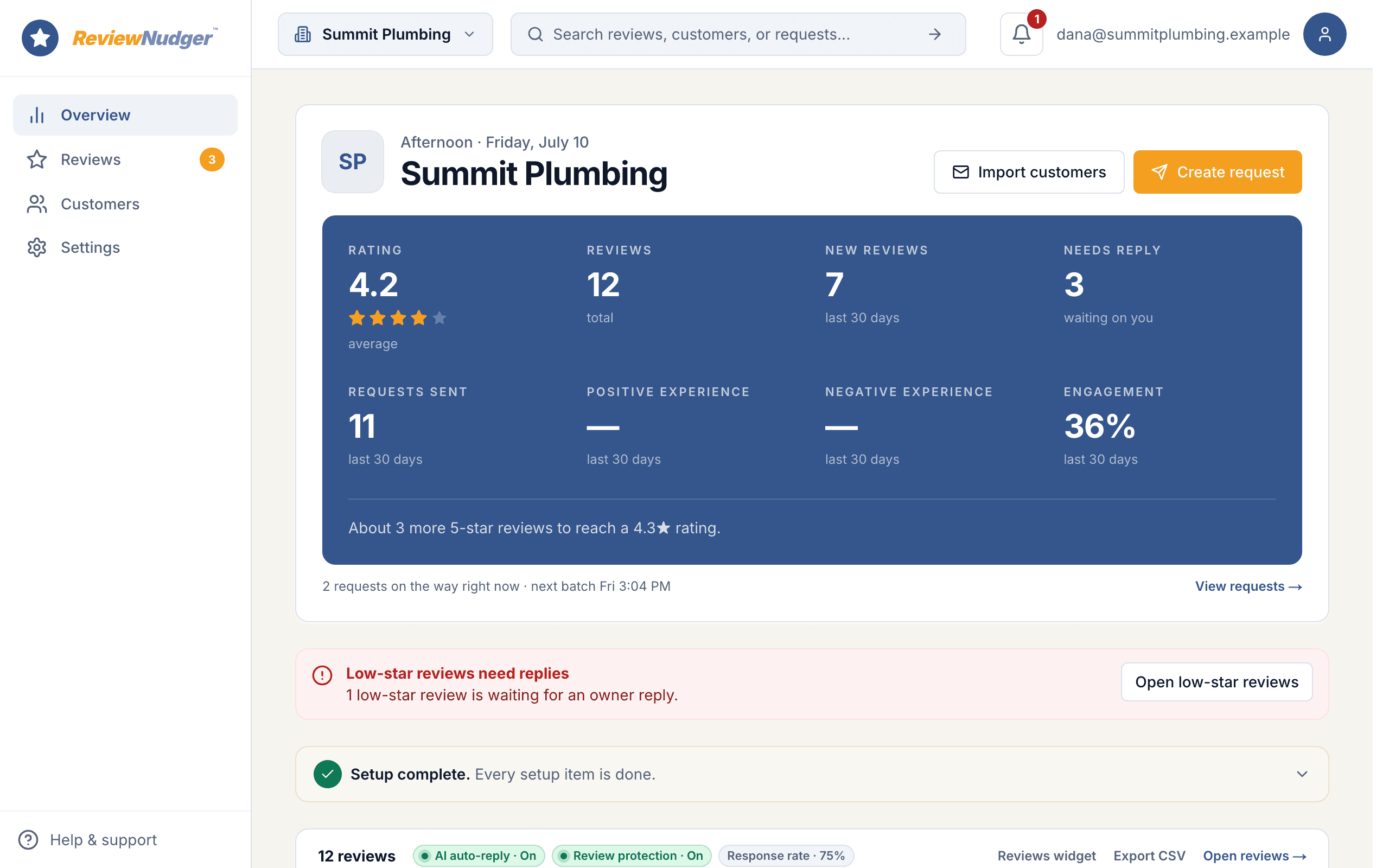
Watch a paid job turn into a Google review.
Follow one customer from payment to review. Then step inside the dashboard to see the follow-ups, replies, and everyday details that run in the background.
15 short steps · about two minutes · no signup · plays right here, or open it on its own page
 Summit Plumbing · example account
Parents choosing a driving school read what other families wrote first.
Built around your work · Driving schools
- Teen driver education
- Adult lessons
- Road test preparation
- Independent instructors
Instructors are already on the way to the next lesson
A student passes, the family celebrates in the parking lot, and the instructor has another pickup in twenty minutes. Start the request from the course completion so nobody has to remember an extra task between lessons.
The student is often a teen
The person who chose your school and paid for the course is usually a parent. Send the request to the adult contact on file, with the permission required for the channel, and keep the message about the family’s experience rather than the student’s results.
A package of lessons should be one ask
Ten lessons, a permit test, and a road test can span months. Set the starting point at completion rather than each booking so a family gets one request per course, and set a cooldown to decide how soon the same contact can be asked again.
A business they can get to know
Summit Driving School
“The instructor was patient with our nervous teenager, explained every mistake calmly, and she passed on the first try.”
Alex · Illustrative reviewer
Most customers will leave a review. You just have to ask.
- 83%
- of customers will leave a review when a business asksBrightLocal, 2026
- 97%
- of people read online reviews before choosing a service businessBrightLocal, 2026
- 5–9%
- more revenue for each one-star improvement in a business’s ratingHarvard Business School
- 74%
- of people want to see a review from the last three monthsBrightLocal, 2026
$0 today · card required · no charge until your 14-day trial ends · $29 a month per location after that

Connect the scheduling app behind your lessons.
Connect your Google Business Profile, then choose how the school will start requests. Staff can start them manually after a passed road test or a completed course, or a configured Zap can pass a final-lesson appointment from Acuity Scheduling or Calendly, an ended lesson from Google Calendar, a course payment through Square, or a new row in a Google Sheet. Make that starting point the completion, not the first booking, so a new student is not asked before the first lesson.
Acuity Scheduling
When a new appointment is scheduled.
See connection detailsCalendly
When a new booking is created.
See connection detailsGoogle Calendar
When an event ends on the calendar you choose.
See connection detailsDirectSquare
When a payment is completed in Square.
See connection detailsGoogle Sheets
When a new row is added to a spreadsheet.
See connection detailsAsk when the course ends or the test is passed.
A booked first lesson is not finished work. Have staff start the request when a student passes the road test or completes the course, or pass that update from your scheduling app through Zapier. Many students are teens, so send the request to the paying parent or adult contact on file, and give the family a day to celebrate first.
No payment app? You can still ask today.
Connecting a payment app makes requests fully automatic, but nothing about ReviewNudger requires it — every account gets both of these from day one.
Type a name, hit send
Type a customer’s name and number and the request goes out right away, or at a time you pick. Your crew gets a private link and QR code so they can ask on the spot from their phones.
Upload your customer list
Upload a spreadsheet (CSV file) of past customers and send requests to all of them at once — the fastest first win, from people who already love your work.
Whichever way you send, the same protections apply automatically — unsubscribes, do-not-contact requests, wait periods between asks, and quiet hours.
Send yourself the actual text.
We'll text you the exact review request your customers get after a paid job. It usually lands in about ten seconds.
The complete plan
Every feature. One simple price.
Per location · Unlimited team members
Start free trial$0 today. Card required. No charge until your trial ends.
Everything you need to stay on top of reviews
- Automatic text & email requests
- Follow-ups that stop when customers act
- Google review inbox & AI replies
- Review protection & customer feedback
- Your branding & website widgets
- Unlimited team members
Your own number sends after carrier approval. While verification is pending or recently rejected, accounts that meet the sending conditions may use a ReviewNudger number, subject to limits and availability. See pricing for full terms.
A toll-free texting number and carrier verification are included. A local number is an optional $100/year add-on, billed separately; it requires a paid plan and its own approval.
More than one location? Each location gets its own $29-a-month plan. Get in touch →
Weighing it against Podium or Birdeye?
See how the essentials compareA few questions before you get started.
Who receives the request when the student is a minor?
Send it to the paying parent or adult contact on file, using their contact details and the permission required for the channel. The request is a thank-you from the school and a review link; it does not mention the student or the result. If an adult student booked and paid for their own lessons, the request goes to them.
Can the request wait until the course is finished?
Yes. Start requests manually from the dashboard or staff quick send link after the road test or final lesson, then let the saved follow-ups run. For automation, scope your Zap to the appointment type that means the course is done, or add a Zapier delay step so a booking does not become an ask before the lessons happen.
Will reminders stop after someone responds?
Yes. Follow-ups stop when the customer clicks the Google review button, sends private feedback, or opts out. Clicking through is enough; we do not wait for proof that a review was posted. You can also stop follow-ups yourself. A separate repeat-customer cooldown controls when a later visit can start a new request.
What can I do during the 14-day free trial?
Connect Google, bring your reviews into one inbox, connect your job or invoicing app, and prepare your requests and follow-ups. Submit your business details for texting approval during the trial. Trial: up to 50 SMS attempts from your approved toll-free number or, when the sending conditions are met and one is available, a ReviewNudger number during carrier review. See pricing for sending limits. A card is required, but you pay $0 today. Cancel before the trial ends to avoid a charge.
How much does it cost? Are texts extra?
$29 per month per location includes text and email review requests, follow-ups, the Google review inbox, AI reply tools, and unlimited team members. There are no per-message fees or annual contract. Your toll-free texting number and its approval are included. A local area-code number is an optional $100/year add-on.
Can you guarantee reviews or a higher Google ranking?
No. Your customers decide whether to review you and what to write, and Google controls its search results. ReviewNudger makes asking and following up consistent. It does not buy reviews, promise a review count, or filter unhappy customers out of the default request.
Need help checking your setup? Email support@reviewnudger.com and a human will help.

Let every passed road test start a review conversation.
Set up in about 10 minutes. Requests go out after each paid job, follow-ups run on their own, and every review lands in one inbox.
$0 today · card required · no charge until your 14-day trial ends · $29 a month per location after that